> For the complete documentation index, see [llms.txt](https://docs.paragontruss.com/llms.txt). Markdown versions of documentation pages are available by appending `.md` to page URLs; this page is available as [Markdown](https://docs.paragontruss.com/release-notes/2025.md).
# 2025
Versions 301–351
## Version 351
*12-29-2025*
### Feature Updates
**Extended Chord Bearing Check**
Improved top chord bearing analysis for cases covered by TPI-2022 7.3.13 for 2024 building codes.
**Component Analysis Progress Bar**
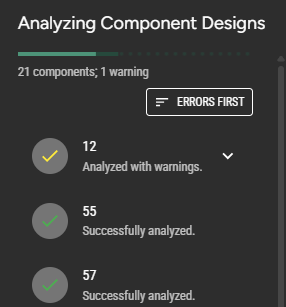
When analyzing multiple components, there is now a progress bar that indicates how many are remaining.
**DXF Connector Labels**
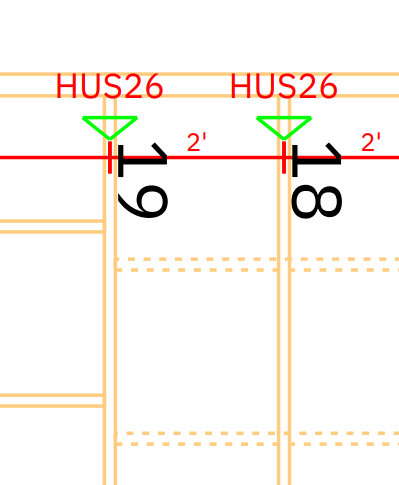
Truss connector hardware is now labeled in Layout DXF exports.
## Version 350
*12-19-2025*
### Feature Updates
**Customize Load Duration (DOL) Factors**
You can now specify the Load Duration Factor for each Load Setting type
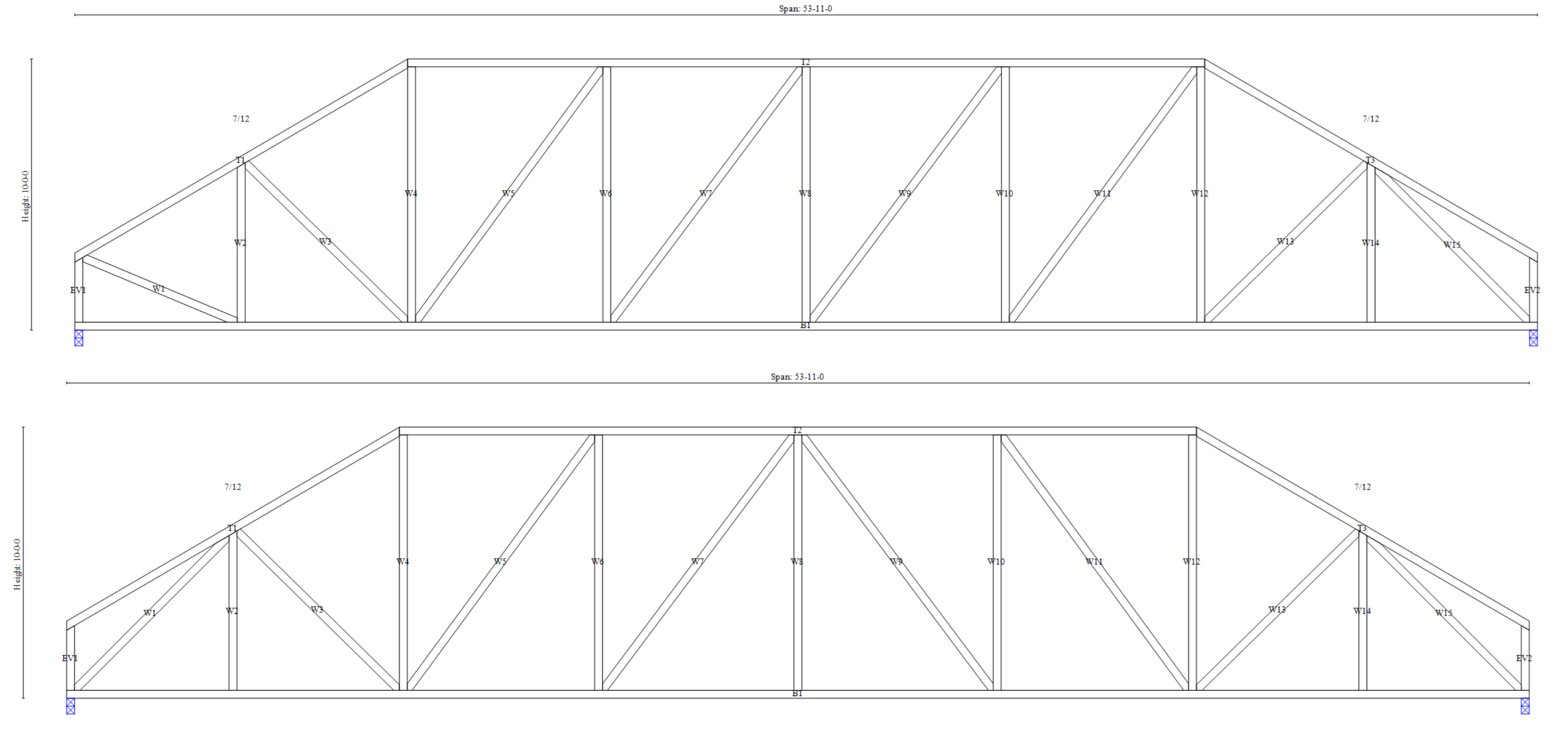
**Vertical webs at top chord pitch breaks**
Automatic webbing will now add vertical webs at top chord pitch breaks when one is desired much more often
### Bug Fixes
* Fixed a bug that prevented you from deleting invalid wedges
* Fixed a bug where Undo could cause a crash after deleting multiple work lines
## Version 349
*12-12-2025*
### Feature Updates
**Improved IFC export**
IFC exports have been updated to meet the latest specifications
**DXF Layer names include buildings and levels**
Layers in Layout DXF outputs are named after their building and level instead of just the level since level names can be similar across multiple buildings in the same project
### Bug Fixes
Fixed an issue with the wind load setting "Roof slope for flat top chords" that could prevent load cases from generating
## Version 348
*12-05-2025*
### Feature Updates
**More Settings Presets**
Saving preset values is now available for Analysis, Feature Pattern, and Profile Default Settings.
**Support for Kerto LVL S-Beam**
In Materials, Kerto LVL S-Beam can now be added to a Lumber Set and used for truss design.
### Bug Fixes
* Fixed an issue generating corner sets using girders with ordered cuts
* Fixed an issue where unwanted bevel cuts could appear when adding a splice to a chord with bevel cuts
* Worked on preventing more crashes while drawing profile trusses
## Version 347
*12-01-2025*
### Feature Updates
**Dimensions in Layout downloads**
Dimensions from Layout are now included in the DXF and PDF downloads.
**Minor Updates**
* Sidesway analysis checks have been improved in accordance with TPI 1 7.3.4-5 Axial Force and Bending
* Improved support for Douglas Fir Larch (North) lumber in truss design
## Version 346
*11-24-2025*
### Feature Updates
**Combo Lumber**
You can now include Combo Species and Grades in your Lumber Lists via Materials. Similar to [ComboPlates](https://docs.paragontruss.com/design/explanation/comboplate), when these Combo Lumber elements are analyzed, the properties of all items from the combination will be considered to make sure every specific item from the combination can work in its context.
**TRS Downloads for Member Types**
You can now download TRS saw files for Chords, Webs, and Blocks.
**Faster Analysis**
Analysis is running a little faster for all trusses.
### Bug Fixes
* Fixed an issue with setting splice locations using the inputs in the truss scene
* Fixed an issue with automatic heel reinforcement selection for some scissors trusses
* Fixed some cases where we were failing to generate designs from layout
* Fixed more crashes and errors by preventing actions that should not be possible while certain operations are ongoing
## Version 345
*11-14-2025*
### Feature Updates
**Default Profile Truss Settings**
Default profile truss setting can now be set for each Project. They do not currently affect trusses generated from the layout; they will only affect trusses created through the [Component Insertion panel](https://docs.paragontruss.com/design/how-to/general/create-projects-and-components#insert-profile-components).
**TRE Bottom Bevel Support**
TRE file import and export now include bottom bevels.
### Bug Fixes
* Fixed an issue with moving loads that mostly affected attic trusses.
* Fixed a few errors and edge cases interfering with layout creation.
## Version 344
*11-10-2025*
### Feature Updates
**Auto-Cut roof planes**
The Auto-Cut roof planes feature will now succeed much more often in Layout. With all of your roof planes selected, choose "Auto-Cut Planes" from Roof Plane Properties or from the right-click context menu.
**Option to configure ribbon plating**
There is a new analysis setting, "Plate Ribbon Blocks", under Plating Settings that allows you to specify whether or not to plate ribbon blocks.
**Ability to edit ply count of multiple trusses at once**
You can now modify the number of plies when multiple truss envelopes are selected.
**Automatic Person Loading for 2024 building codes**
We can now automatically generate person loading to aid compliance with TPI 2022 section 6.2.2.5.
### Bug Fixes
Fixed some crashes and errors by preventing actions that should not be possible while certain operations are ongoing.
## Version 343
*10-31-2025*
### Feature Updates
**Load Settings Presets**
You can now save a preset of load settings and apply it to any component or project element (buildings, levels, etc.). Saved presets can also be reused in other projects.
**Expanded support for Top Chord Bearings under TPI 1-2022**
We now have TPI 1-2022 support for the top chord bearing cases under Table 7.4-1
**Bottom Bevel Cut**
You can now specify a bottom bevel cut on any chord in Design. Bottom bevel cuts are noted on Truss Design Drawings and Shop Drawings.
### Bug Fixes
* Fixed an issue where front-back plate pairs were sometimes not being generated at joints that are close to a stacked bottom chord splice
* Fixed some cases where invalid profiles could cause a crash during component insertion
## Version 342
*10-24-2025*
### Feature Updates
* Layout PDF Underlay: larger PDF files are now supported and there is better feedback when you try to upload an unsupported PDF
* Pressing Enter now both submits and deselects most input fields in Design
### Bug Fixes
* Fixed an issue where the PDF underlay was being displayed in Design view
## Version 341
*10-10-2025*
### Feature Updates
#### Import PDF Underlay
Use the Underlay button in the toolbar to upload a PDF that will remain visible as you create a layout. You can scale, remove, and reposition the underlay, and you can snap to most intersections for reference and tracing.
#### **Minor Updates**
* Improved some cases where it was hard to select a truss envelope where it overlapped a truss envelope in 2D in Layout
* You can now resize sections vertically in the side panels by dragging the dividing lines between them
## Version 340
*10-10-2025*
### Feature Updates
**New Saw File Outputs**
You can now generate OMN and BVN files for any truss for use with compatible saws. These are available in the [Download menu](https://docs.paragontruss.com/design/getting-started/interface-overview/actions-toolbar).
### Bug Fixes
Fixed a case where bevel cuts showed up on the wrong side when Paragon TRE files were imported into some shop software
## Version 339
*10-06-2025*
### Feature **Updates**
**Snow drift loading for 2024 building codes**
Project load settings can be updated to consider snow drift
**Minor updates**
* Made application of rain-on-snow surcharge more precise
* Improved support for multi-ply trusses in DXF output
* Removed top chord bearing analysis restriction for 2024 building codes
#### **Bug Fixes**
* Fixed an issue where project settings were not working correctly after copying a shared set to your organization
* Fixed an issue where Design could be loaded without an active building when one exists
## Version 338
*09-19-2025*
### Feature **Updates**
**Buildings and Levels**
Components and Layouts can now be organized into buildings and levels within a project. Check out [this docs page](https://docs.paragontruss.com/layout/how-to/buildings-and-levels) for more information and a video overview.
**2024 Building Codes**
Trusses can now be analyzed under IBC and IRC 2024 with some additional features coming soon:
* Snow drift loading
* Person loading
* QC output generation
**Roof Insulation Snow Load Settings**
You can now set the Roof insulation R-value and related settings for the "Other" thermal condition in Snow Loading.
**Minor updates**
Layout PDF and Layout DXF exports will represent the boundary of the full component design instead of the corresponding truss envelope.
## Version 337
*09-19-2025*
### **Bug Fixes**
* Fixed an issue where capped trusses could not be created in certain scenarios.
* Fixed an issue where Quality Control diagram would fail to generate and download for certain trusses
* Fixed a case where a crash could occur during component insertion
## Version 336
*09-15-2025*
### **API Updates**
Project Summary is now available via the `/api/public/projects/{projectGuid}/projectSummary` endpoint. This data includes properties for truss count, stock and actual board feet, and prices for lumber, plates, and hangers.
### **Bug Fixes**
* Fixed an issue where TRE upload was not correctly setting the truss quantity in specific scenarios.
* Fixed an issue where labels on vertical truss envelopes were not being placed in a consistent location.
## Version 335
*09-05-2025*
### **Minor Updates**
Updated .tdltruss file import to handle newer file versions
### **Bug Fixes**
Fixed an issue with changing to structural composite lumber dimensions.
## Version 334
*08-29-2025*
### Feature Updates
#### Add Components to a Station using Paragon TDDs
You can now use Paragon TDDs to add components to an Assembly Station. Click the Add to Station button, choose one or more Paragon TDDs, and the components from the corresponding "shared sets" will be uploaded to your station.
## Version 333
*08-25-2025*
### Feature Updates
#### Digital QC download
You can now download a "Digital QC File" that is compatible with SBCA’s Digital QC application.
#### Import carried component relationships from TRE files
When you upload multiple TRE files at once, the imported trusses will create carried component relationships between them when possible
### Minor updates
* Improved support for importing trusses from Alpine PIC files
* Added basic support for TRE files with either/or lumber grades and species
## Version 332
*08-15-2025*
### Bug Fixes
* Fixed an issue where arithmetic expressions were not evaluating in some inputs
* Fixed an issue where starting ordered cuts on a truss envelope could cause a crash
## Version 331
*08-12-2025*
### Feature Updates
#### **Assembly Stations Parts View**
The parts view is now available for all assembly stations. This view shows the cut details for members categorized by type along with a list of plates for all of the trusses at the active station.
#### **Combo Plate**
[ComboPlate](https://docs.paragontruss.com/design/explanation/comboplate) allows you to create plate lists with different plate types of similar sizes. When you run plate upgrades on a truss, plates will be checked for the lowest common denominator design values at the joint, and all included types will be reported on the Truss Design Drawing, shop drawings, reports, etc. [Here's](https://docs.paragontruss.com/materials/getting-started/interface-overview#comboplate) how to get started with using it.

#### Truss Creation Error Reporting
For many cases where a truss solid cannot be generated from a truss envelope or a component design cannot be generated from a truss solid, you will see an error message that will help you narrow down the source of the problem.
### Bug Fixes
* Fixed some intermittent errors with loading projects
* Fixed UI problem that caused manual load properties to display incorrectly in some cases
## Version 330
*08-01-2025*
### Feature Updates
* Improved truss envelope visuals to help distinguish between the defining points of the envelope and its overhang region
* Improved TRS file support for SPIDA saws
### Bug Fixes
* Fixed issue with custom quantity downloads in Shared Component Sets
* Fixed issue with downloading lots of truss design drawings at once
## Version 329
*07-25-2025*
### Feature Updates
#### Advanced Truss Envelope Cutting Experience
Within the Additional Cuts section in the truss envelope properties panel, there is now a way to handle more advanced truss geometry scenarios. Add Ordered Top Cuts or Ordered Bottom Cuts for a selected truss envelope to override system-generated truss solids by selecting roof and ceiling planes in sequence.
{% embed url="" %}
#### **Minor Updates**
* Added Component Report CSV to the download dialog with customizable quantities
* Truss envelope trim/extend now correctly considers overhangs
### Bug Fixes
* Fixed issue with truss envelopes where, if they had overhang on either side, all bevel cuts were disabled. Now, we have adjusted so that bevel cuts are only disabled on the side of the truss that has an overhang.
* Fixed an edge case where chord bracing failed to generate and blocked analysis
## Version 328
*07-18-2025*
### Feature Updates
#### Warning notification when you request seals on a truss that is not passing
If the truss you're requesting seals on, from Design or Projects, is either over capacity or has analysis errors, you'll be notified either by a warning in the request seals dialog or via email in case you'd like to make changes before sharing the job.
#### **New Keyboard Shortcuts**
* `Ctrl+Shift+P` to open the choose project dialog. Use arrow and enter keys to navigate and choose a project
* `Ctrl+Shift+D` to open the download dialog
### Bug Fixes
* When creating an estimate, the "Include hanger prices" option was only showing some of the time, but it's now available all the time
* Fixed a crash when trying to download files during truss insertion
## Version 327
*07-14-2025*
### Feature Updates
**Custom quantities when downloading files in Design**
Specify quantities for each component for downloads from Design. This overrides the quantity specified on the component properties. If you have components selected when you open the dialog, the Custom tab will be active and the list will be filtered just to those components by default.
**API updates**
It is now possible to `GET` a list of all of your organization's projects via the API
**Minor Updates**
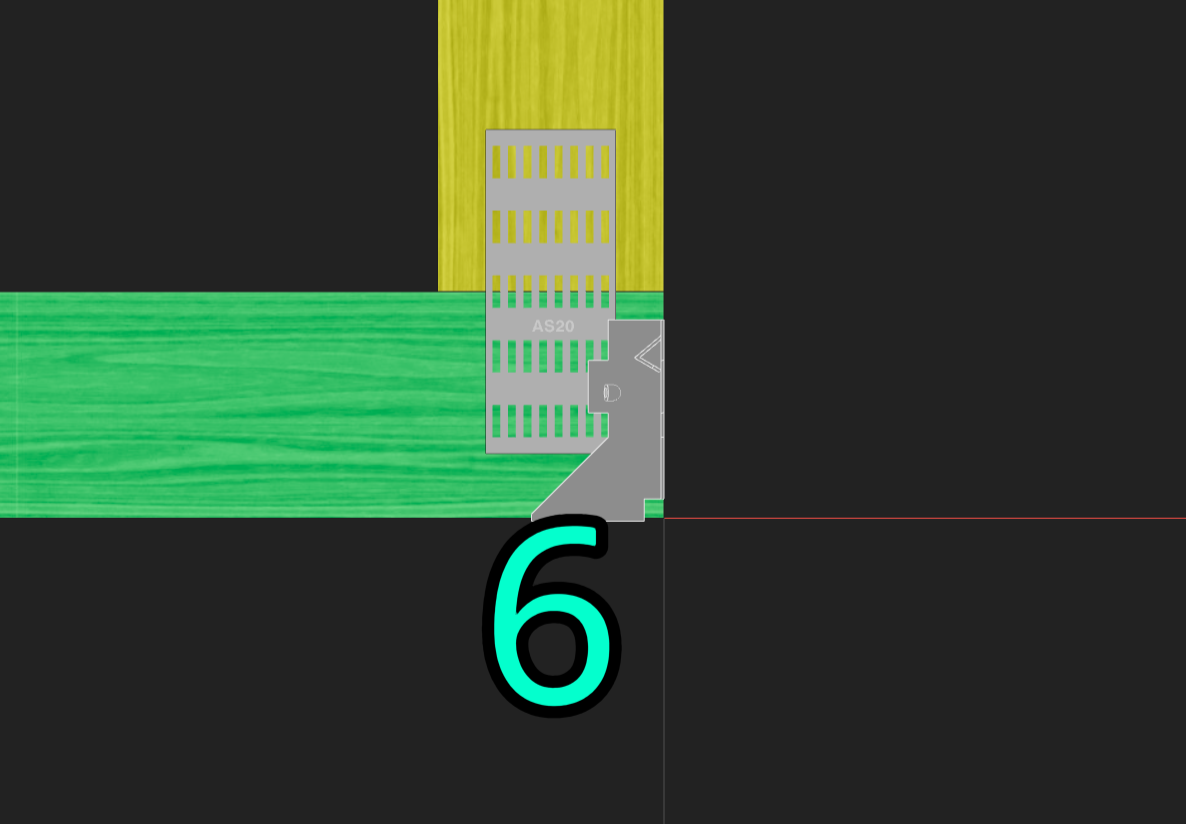
Simpson's AS20HS plates are now available for plate lists in Materials
### Bug Fixes
* Fixed an issue where trusses with overhangs were mislocated in the IFC download
* Fixed an issue where changing a plate's size and then rotating it would revert back to the original size
* Fixed an issue with dimensioning bearing gaps for feature pattern trusses that extend left of the origin
## Version 326
*06-30-2025*
### Feature Updates
**Lock Plating setting also prevents adding new plates automatically**
Plates will no longer be added during analysis when "Plating" is locked via the lock options in the Actions Toolbar. To quickly lock the existing plates without preventing new plates from being added, you can multi-select the existing plates and lock them from the right-click menu.
**Ability to key in points when in point picking mode**
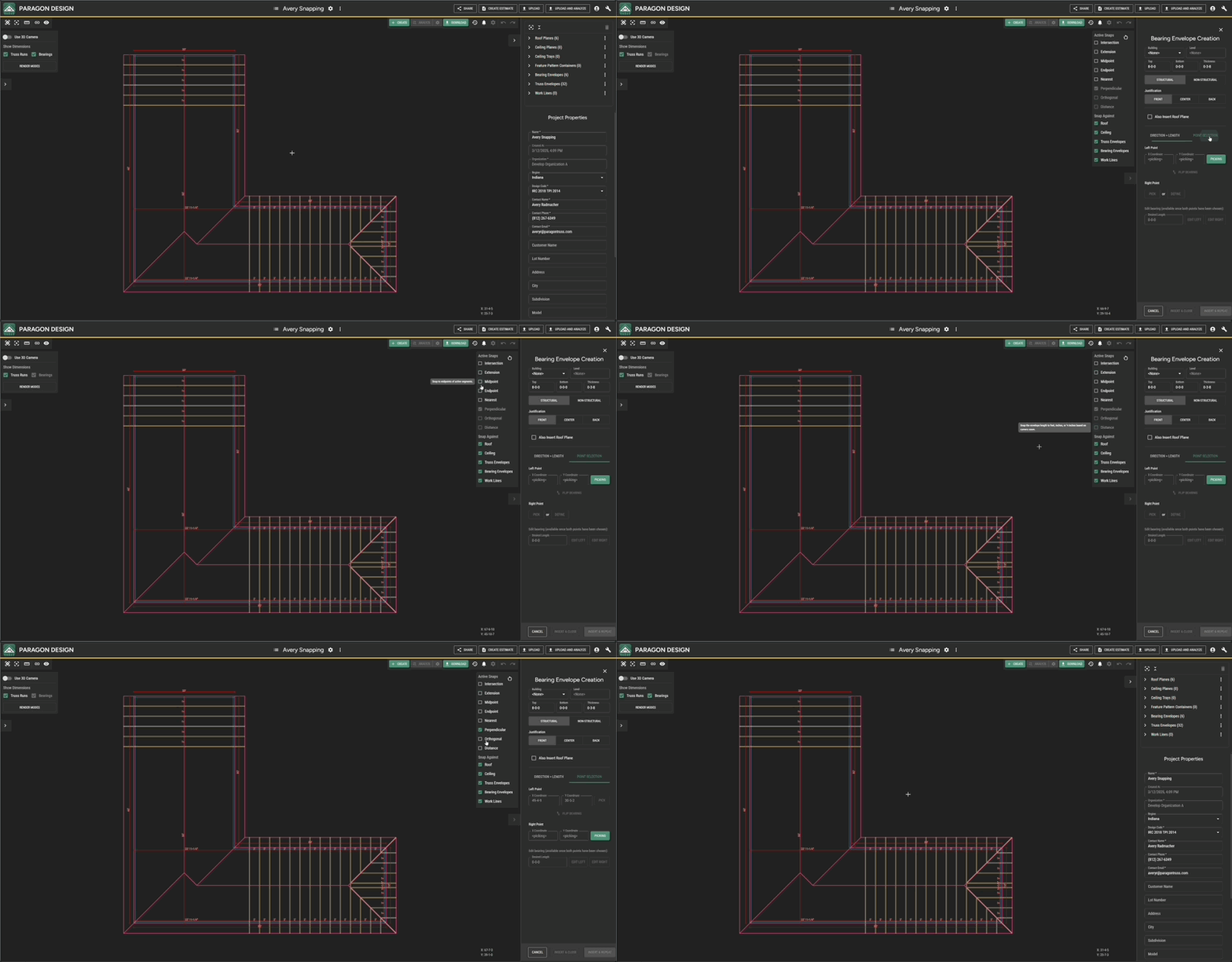
In point picking mode, we added the option to type the coordinates. This way, if you already know the coordinates of the desired point, then you can key them in rather than finding and clicking the point. This will make operations such as moving objects and bearing envelope insertion more flexible.
### Bug Fixes
* Fixed interrupting certain actions like roof plane cutting when toggling the 3D camera
* Fixed an issue where copying a shared component set to your organization wasn't preserving quantities
* Fixed an issue where certain roof plane definitions would prevent truss envelopes from being inserted
* Fixed an issue where roof and ceiling plane definition visuals defined on segments/lines were not flipped according to the plane's properties
## Version 325
*06-23-2025*
### Feature Updates
**Truss Envelope definitions have changed**
In preparation for some upcoming improvements to truss creation via Layout, truss envelope definitions have been changed to exclude overhang. Now, for example, when defining a truss that has overhang, you'll choose the roof's soffit line as its defining point instead of extending into the overhang region. Then, the overhang distance setting on the truss envelope will control how far the truss end extends into the overhang region.
**More information is preserved when using convert to settings**
Convert to settings now retains additional loads, analysis history and hangers in addition to the information that was already being carried over.
**Ability to flip multiple truss envelopes together**
Multiple truss envelopes can now be flipped at the same time with the Flip Envelope button.
### Minor Changes
* Duplicate option is on by default for mirroring
* Preserve manual loads when creating components from TRE files
## Version 324
*06-13-2025*
### Feature Updates
**Rotate, mirror, and duplicate layout objects**
Most layout objects can now be rotated, mirrored and duplicated. You can do this for a single object or for multiple at once of the same type.
**Improved performance for rendering snap points**
Snap points should appear much more quickly while in a picking mode, especially for large layouts.
### Bug Fixes
* Fixed ceiling trays sometimes being displayed at the wrong elevation
* Fixed work lines sometimes not being highlighted when hovering over them in picking mode
## Version 323
*06-06-2025*
### Feature Updates
Plate movement and rotation are now much smoother
**Minor Updates**
Material Report values and their sums are now matching in precision
## Version 322
*05-30-2025*
### Feature Updates
**Update placement and rotation of layout truss labels**
Updated the placement and orientation of labels for a more readable display, both in the app and in layout outputs like the DXF.
**Multi-Selection in Layout**
Multi-select has been enabled for truss envelopes, bearing envelopes, roof planes, ceiling planes, ceiling trays, work lines, chases, and steps. The selection window tool has been updated to support them, and the associated ecosystem of bulk features (properties panels, context menus, and deletion) have been implemented for them as well. Render modes have been updated to ensure that objects being targeted by the selection window are always visible in the scene.
**Move Layout Objects**
Layout objects can now be moved (translated) to a new location. Movement can be done relative to a chosen base point or according to a horizontal and vertical distance (and a positive or negative direction). Multi-selected objects of the same type can be moved as a group. You cannot yet move objects of different types all at once--stay tuned!
**Minor Changes**
* It is now possible to design a feature pattern truss with only vertical bearings and no webs
* When switching between different webbing patterns on a feature pattern truss, the horizontal webbing length remains the same
### Bug Fixes
* Corrected an issue where "Reset View" was not functioning as expected when viewing a shared set
* Machinery TRS and TPS files now correctly consider the ply count in their member/component quantity values
## Version 321
*05-23-2025*
### Feature Updates
**Open Project Settings with components selected**
If you open Project Load or Analysis Settings while component designs are selected in Layout or Design Mode, the corresponding component designs will be checked in the dialog (and others not checked). This makes it faster to update settings on selected items.
**Changes to tension line calculations for plating checks**
TPI checks that depend on plate tension lines are now following the standard more closely. Joints that may be affected are those where two chords of the same type come together at a splice or pitch break.
**Soffit lines in DXF exports are contained on their own layer**
When exporting a layout as a .dxf file, soffit lines will show up on their own layer giving you more control over how they appear.
### Bug Fixes
#### Feature Pattern Truss Webbing
Fixed an issue where a feature pattern truss would not analyze whenever a web in the chase was wider than it was long.
## Version 320
*05-16-2025*
### Feature Updates
#### Improved Cap Set Creation in Layout
The new interface allows you to modify the entire cap set from any truss envelope in the set. Also, note that your changes will be applied as a batch when you press "Apply" instead of making each change immediately like before. As long as the selected truss envelopes all have the same cap settings, you can edit the cap settings for all of them at once.
#### Material Report Enhancements
Several updates have been made to improve the clarity of the Material Report:
* In the Components table, the number of plies is now shown in parentheses.
* The Connectors Cost column has been replaced with a Connectors column that lists the names of the connectors used for each component.
* In the Lumber and Plates tables:
* The total number of components using each lumber or plate item is now shown.
* If five or fewer components use the item, their names are listed in parentheses.
### Bug Fixes
#### Truss Design Drawings
Updated the templates to properly display all notes when additional pages are necessary.
#### Truss Placement Diagrams
Improved label placement in DXF output prevents overlapping and flipped labels.
#### Work lines get in the way of selection in 3D Layout
Fixes a bug where work lines would be selected even if covered by a member or some other object.
## Version 319
*05-09-2025*
### Feature Updates
#### 3D performance boost
Improvements have been made that have resulted in 5-10x faster performance when viewing larger 3D layouts.
#### Updated keyboard shortcuts
Support added for the `+` and `-` keys in the numpad and both `Shift` keys.
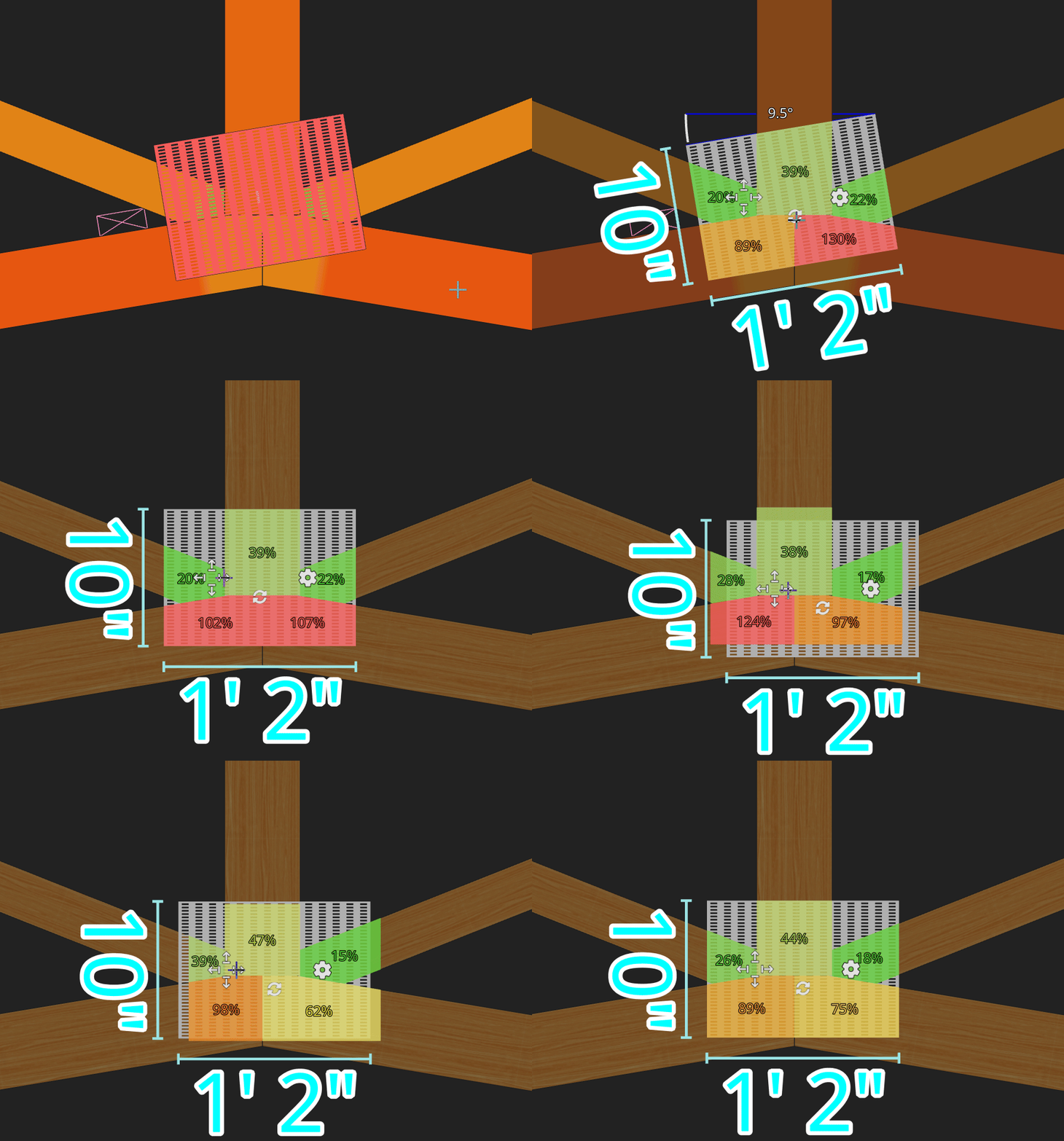
#### Logic changes for more intuitive cuts
Behind the scene changes were made so that adding/deleting splices will result in more intuitive auto cuts. This also makes actions like changing the size of a member or chord react in a more predictable manner.
### Bug Fixes
#### Touch updates
There were issues preventing touch selection for items in a layout. These have been addressed along with updates to the new 3D Render Modes toolbar that make it behave as expected on touchscreens.
#### 3D Render Modes
A bug causing delayed visual updates for render modes has been resolved.
## Version 318
*05-02-2025*
### Feature Updates
#### New Toolbar Interface
The floating toolbars have been upgraded into a single toolbar which maximizes space in the scene.
The render mode toolbar buttons have a variety of behaviors to make changing modes easy:
* Menus automatically open on hover with tuned enter/exit timers to prevent menus from opening when mouse is just passing over or from closing when user accidentally exits when selecting an item
* Middle clicking toolbar buttons toggles the visibility of that item
* De-selecting an active render mode option reverts to the default mode for that item
* Scrolling your mouse while a menu is open will cycle through modes
* Clicking the toolbar button itself will cycle through modes (circularly)
The "automatic" mode has been hidden for objects that don't actually have an intelligent automatic mode to simplify the menus.
For more information on these changes and how to utilize these features, refer to the corresponding documentation page.
## Version 317
*04-25-2025*
### Feature Updates
#### Add Gable Setting for "Minimum Stud Length"
Gable studs are not generated whe**n** shorter than a user-defined value. The initial value for a new component or editing an existing component is 8".
#### "Analyze All Changed Components"
"Analyze All Components" in the project menu has been changed to "Analyze All Changed Components." Now, only components that have changed will be reanalyzed.
#### Project Wide Analysis Settings
Accessing the Analysis Settings for a project brings up the same dialog as the Load Settings, now we have added a tab for the Analysis Settings.
### Quality of Life Updates
#### Accelerated Layout Geometry Calculations
Edits to roofs, ceilings, and truss envelopes are now 5x faster! This should make larger layouts much easier to work with.
## Version 316
*04-18-2025*
### New Feature
#### Hotkey Reference Guide
A hotkey reference dialog is now accessible via `Ctrl`+`/`. It lists a description of the actions which are globally listened for (not necessarily always active) with their corresponding key combinations.
### Feature Updates
#### Truss Design Drawings
Updated TDDs to display a note for sprinkler loading instead of showing the arrow graphics, similar to how we show moving loads.
#### Member and Reference Line Bulk Insertion
We now support inserting multiple members and reference lines using [division lines](/design/how-to/general/reference-lines.md#division-line). After triggering insertion mode, use `+` and `-` to change the quantity.
#### User-Defined Hanger Info
Users can now overwrite hanger info via the Hanger Properties Panel. These user-defined hangers are included in pricing and estimates.
## Version 315
*04-11-2025*
### Feature Updates and Fixes
#### Trim and Extend functionality
We have added trim and extend functionality for single and multi selected truss and bearing envelopes. This functionality is available via a context menu by right clicking on an envelope or by using the `Shift` key modifier.
#### TRE Downloads available for shared component set
TRE file downloads are generally available for all shared component sets regardless of your plan type. Additionally, it is worth noting that when downloading TRE files, we will convert all plate types to MiTek plates.
## Version 314
*04-07-2025*
### Feature Updates and Fixes
#### Create feature pattern trusses from Layout that match the envelope's thickness
Previously, this would only work if the thickness of the envelope matched the thicknesses of lumber set in the Project's Material Settings. Now, if lumber is available in the selected lumber list that matches the component's thickness, it will be chosen, and the component's Material Settings will be updated to match.
#### Select inserted truss envelopes after creating a run
When you insert a run of truss envelopes, all of the envelopes you just added will be selected so that you can quickly modify all of their properties if needed. Before, the truss you started the run from would be selected instead.
## Version 313
*03-28-2025*
### New Features
#### Component Filtering
You can now filter between linked and unlinked components in the `Explorer Subpanel`using the `Filter Components` button.
#### Direction Indicators for Truss Envelopes
Scene visuals have been added to indicate the left ends of truss envelopes without having to select them first. This makes it easier to verify that trusses are oriented in the expected direction.
### Feature Updates and Fixes
#### DXF Imports
Creating work lines via DXF imports now works more reliably for more files.
#### Sloped Feature Pattern Containers
Truss envelopes in sloped feature pattern containers will now correctly generate trusses with sloped bottom chords.
## Version 312
*03-20-2025*
### Feature Updates
#### Improvements to Active Snaps
Grid snapping is now always enabled, and the "Grid" option has been removed. "Distance" snapping has been moved to the bottom for better organization. Tooltips have been added to Active Snaps, detailing behavior based on the item type (envelope/segment). Distance, Perpendicular, and Orthogonal snaps now only activate when selecting the second point, clarifying their intended use. Default active snaps have been updated, with all contexts starting the same, except bearing envelopes now enable "Distance" and "Orthogonal" by default.
#### Lock-Based Envelope Snapping
`Ctrl+B` now locks/unlocks the base during truss envelope insertion. When locked to a single base, snapping levels adjust with Shift/Ctrl. Feature pattern truss envelopes snap precisely to roofs/ceilings, and work lines and container edges snap to presets instead of increments.
### New Feature
#### Dimensioning Against Reference Line Intersections
Intersection snaps now work for reference lines intersecting with other reference lines and member edges. The reference line hover effect is now disabled in dimension mode.
## Version 311
*03-13-2025*
### Feature Updates
#### Layout
**Restored "Jump to Design" Double-Click Shortcut**
Double-clicking on a component while in Layout mode will again select the component design.
**Refined "Snap Against" Options and Behaviors for Layout**
Snap Against Targets
* Roof Edges, Overhang Lines, Roof Planes, and Ridge Lines have been combined into "Roof"
* "Ceiling" has been added and represents ceiling planes and trays
* Truss Envelope Edges and Truss Envelope Midlines have been combined into "Truss Envelopes"
Snapping Distance
* Roof and Ceiling now snap exactly whereas before some snapped to presets
* Bearing Envelopes now snap to presets
***All snap modes are now turned on by default.***
An example of "Ceiling" Snapping
#### Design
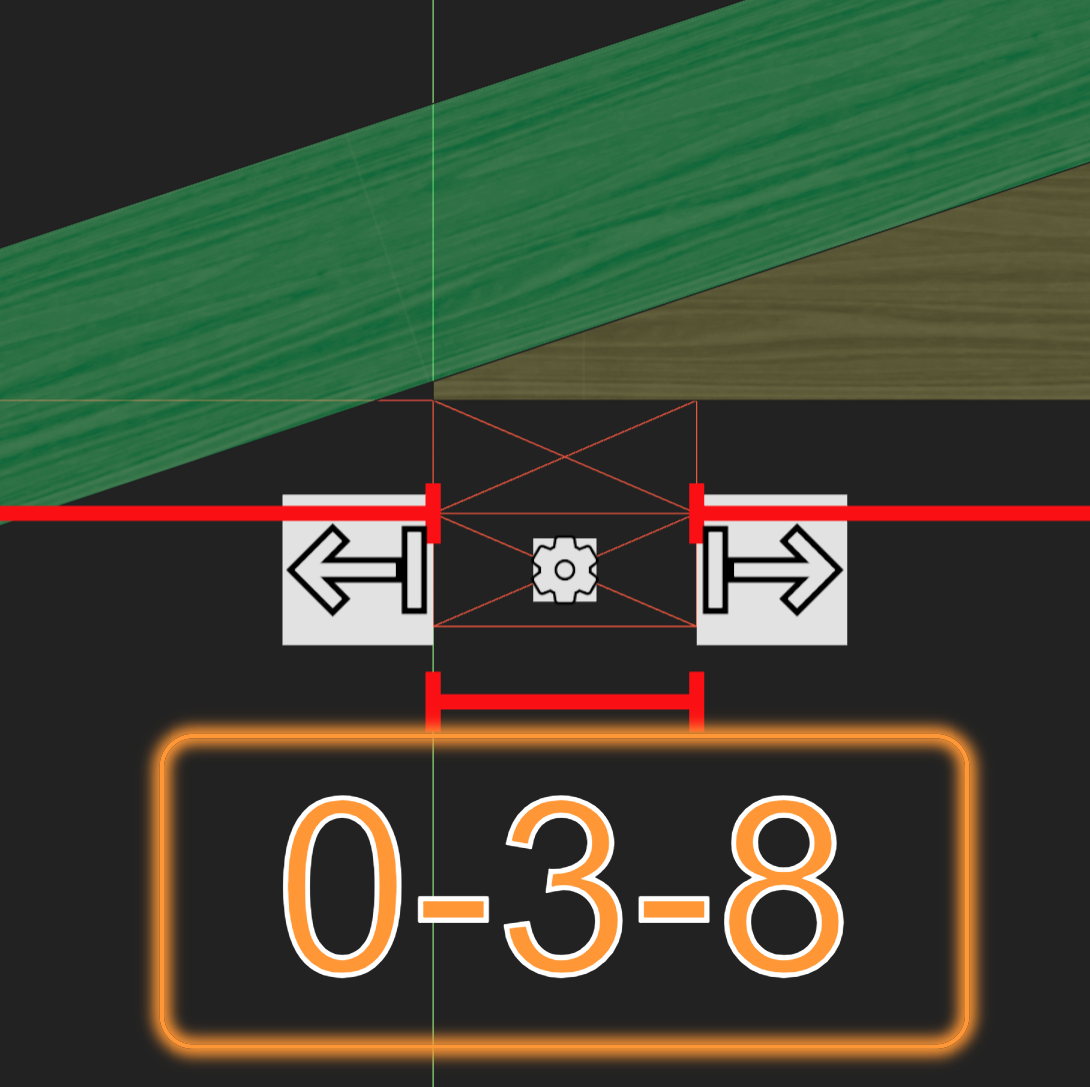
**Updates to Bearing UI/UX**
The nudge icons, settings icons, and dimensions box have been rearranged around the bearings, making them easier to manipulate.
icons and Hitboxes Before
Icons and Hitboxes After
#### Bug Fixes
**Fix jack carried chords inference**
An issue was reported where regenerating a girder could miss carried component relationships that were not missed if all components were created simultaneously. This has been fixed.
## Version 310
*03-10-2025*
### Paragon Plans and Users
#### Plan Upgrades Now Available
Paid plans are now available! Upgrade to access full truss design & analysis, increase your quota, and unlock more powerful features.
### Pricing
#### Hanger Pricing
There is now a tab for hangers in Paragon Pricing, allowing users to input custom prices for each hanger.
### Design
#### View Hanger Prices in Design, Material Reports, and Estimates
Truss prices now include hangers. If a truss includes hangers without prices, `Price` will read `N/A`. Hangers without prices can be seen in the `Price` section of the `Component Properties` panel.
### Layout
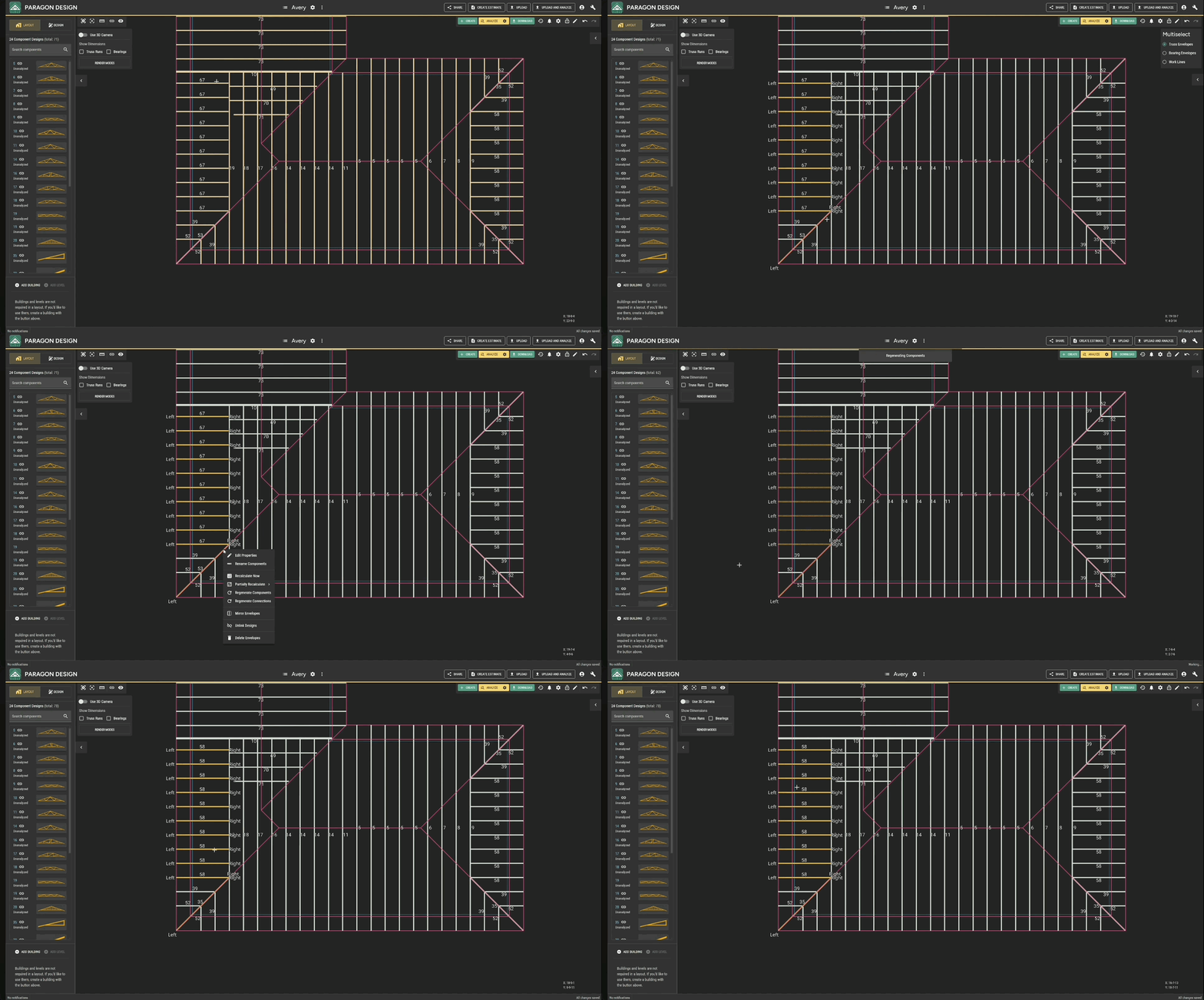
#### Regenerate Component(s)
You can now regenerate component designs for selected Truss Envelopes. This combines a series of tasks into a single action:
* Unlink components
* Delete components no longer referenced by those envelopes
* Create/match designs
* Regenerate connections
#### Regenerate Carried Component Connections
You can `Regenerate Connections` on a truss to update its list of carried components based on the current state of the underlying truss envelopes in the layout.
### API
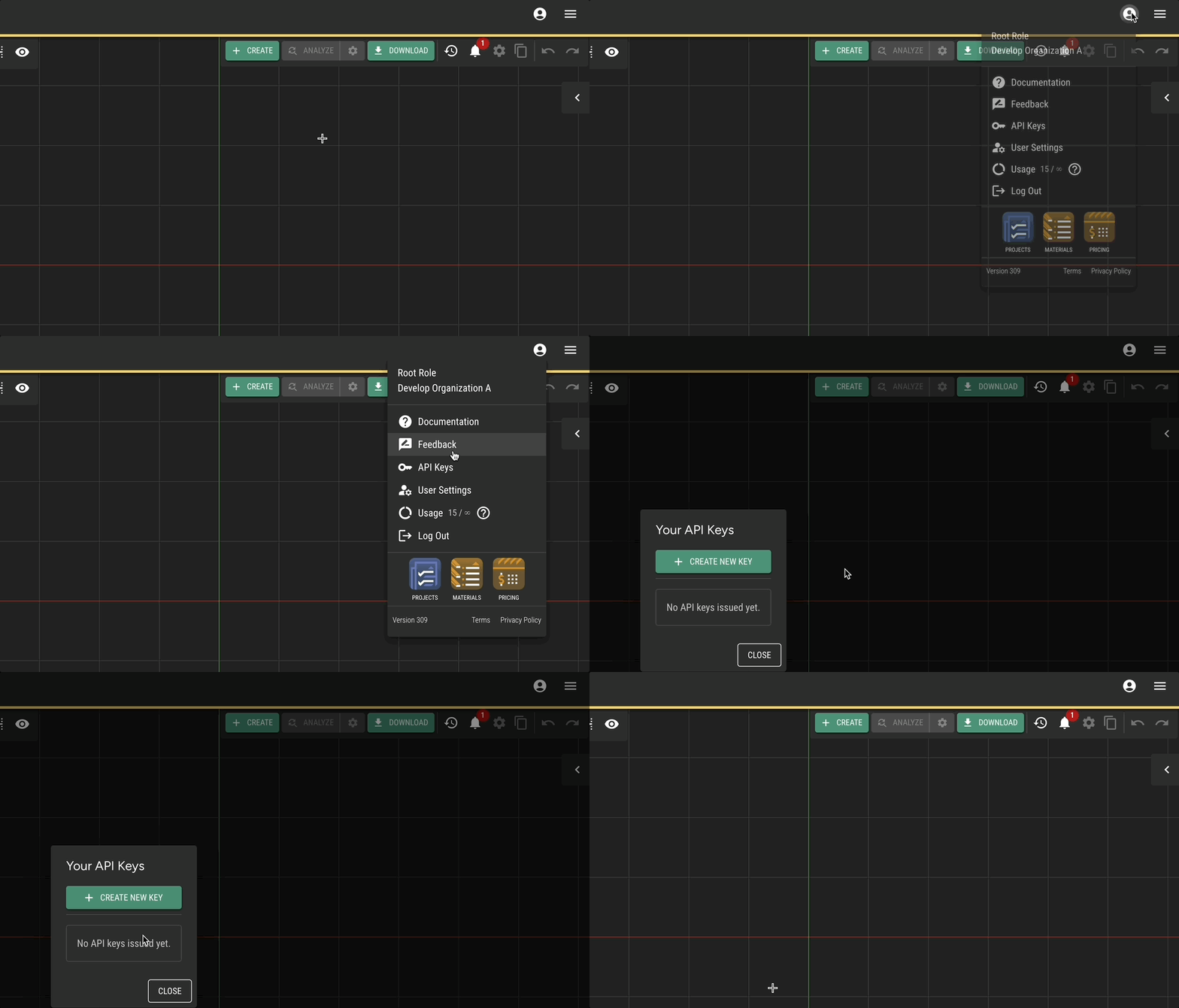
Users who upgrade to a plan with API access will now see a menu option to create and manage their API keys.
## Version 309
*03-03-2025*
### Feature Updates
#### Hanger Material Lists
Organizations can now control what hangers are available based on what they have in stock. The selected hanger list will inform the hanger upgrade process. Hanger lists can be modified in Paragon [Materials](https://materials.paragontruss.com).
## Version 308
*02-21-2025*
#### Feature Updates
**Delete Multiple Component Designs**
Multiple component designs can now be selected at the same time using `Multiselect` via the Explorer Panel and deleted with the `Delete` key.
**Live Plating**
Whenever you select a plate, it will be analyzed for grip on each member it touches and update in real-time as you move it.
## Version 307
*02-14-2025*
### Feature Updates
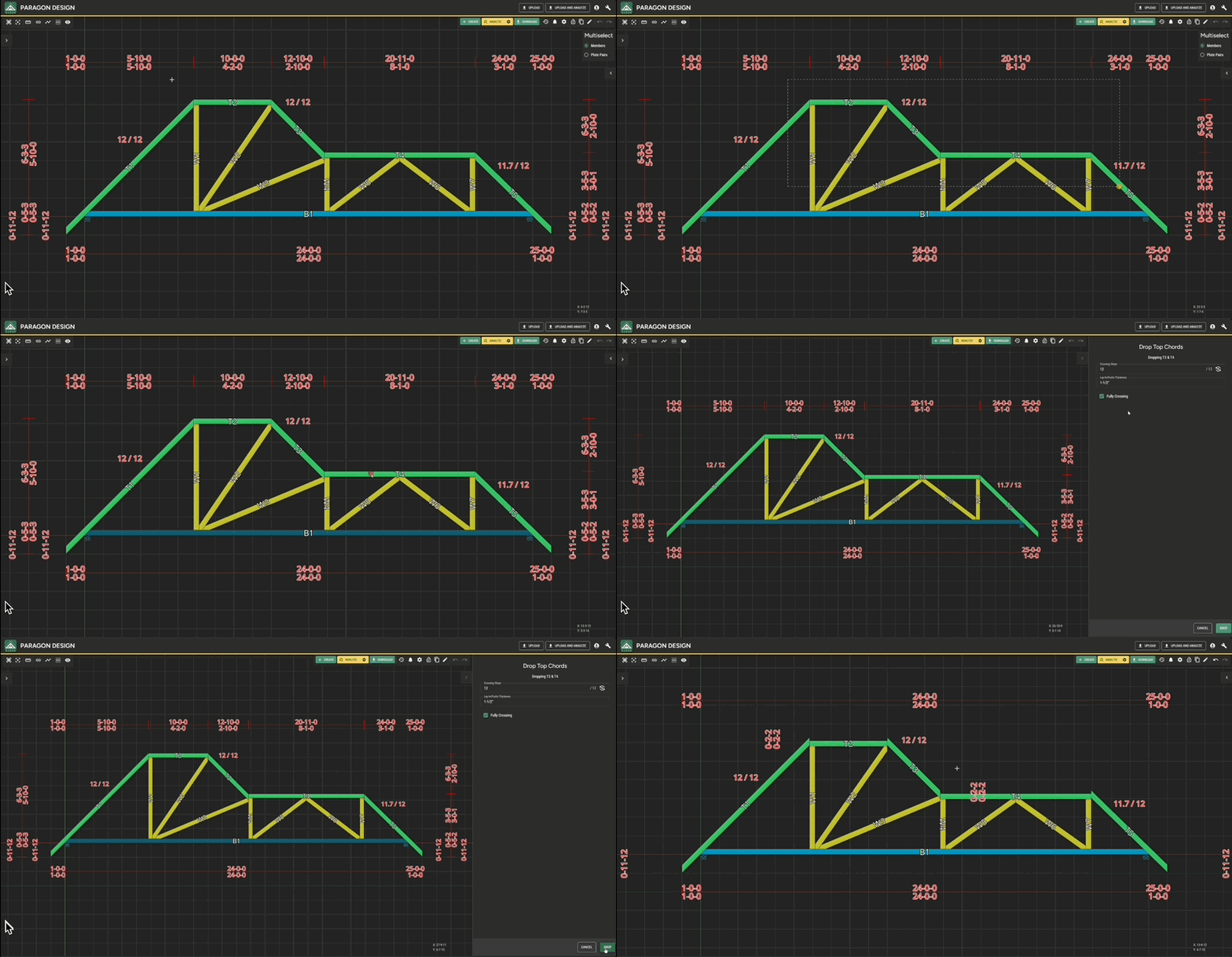
#### Drop Flat Top Chords
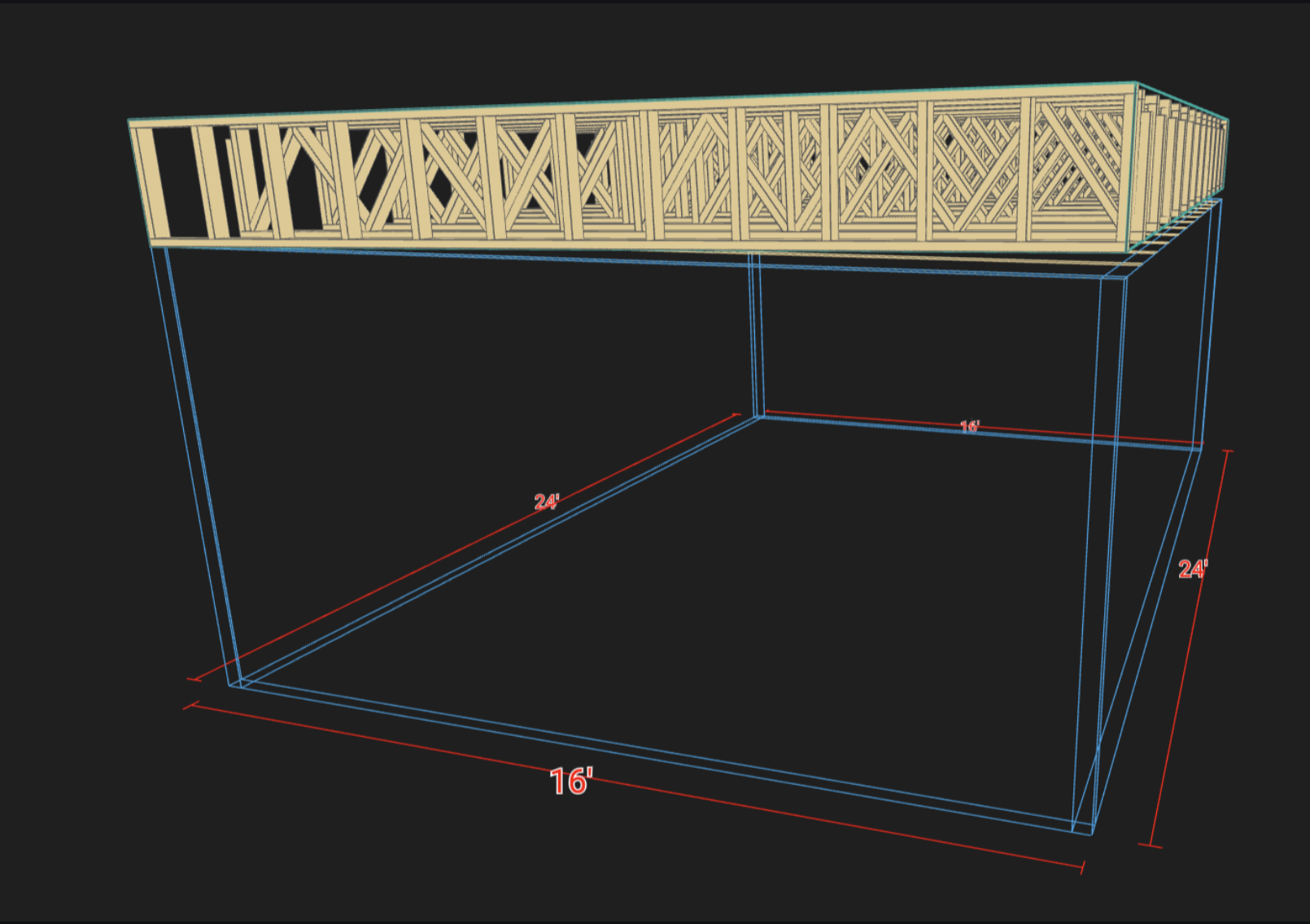
Flat Top Chords can be dropped by right-clicking one or more of them or by using the `Edit Truss` button. Options for purlin/lay-in thickness, slope, and position handle calculating the exact drop distance.
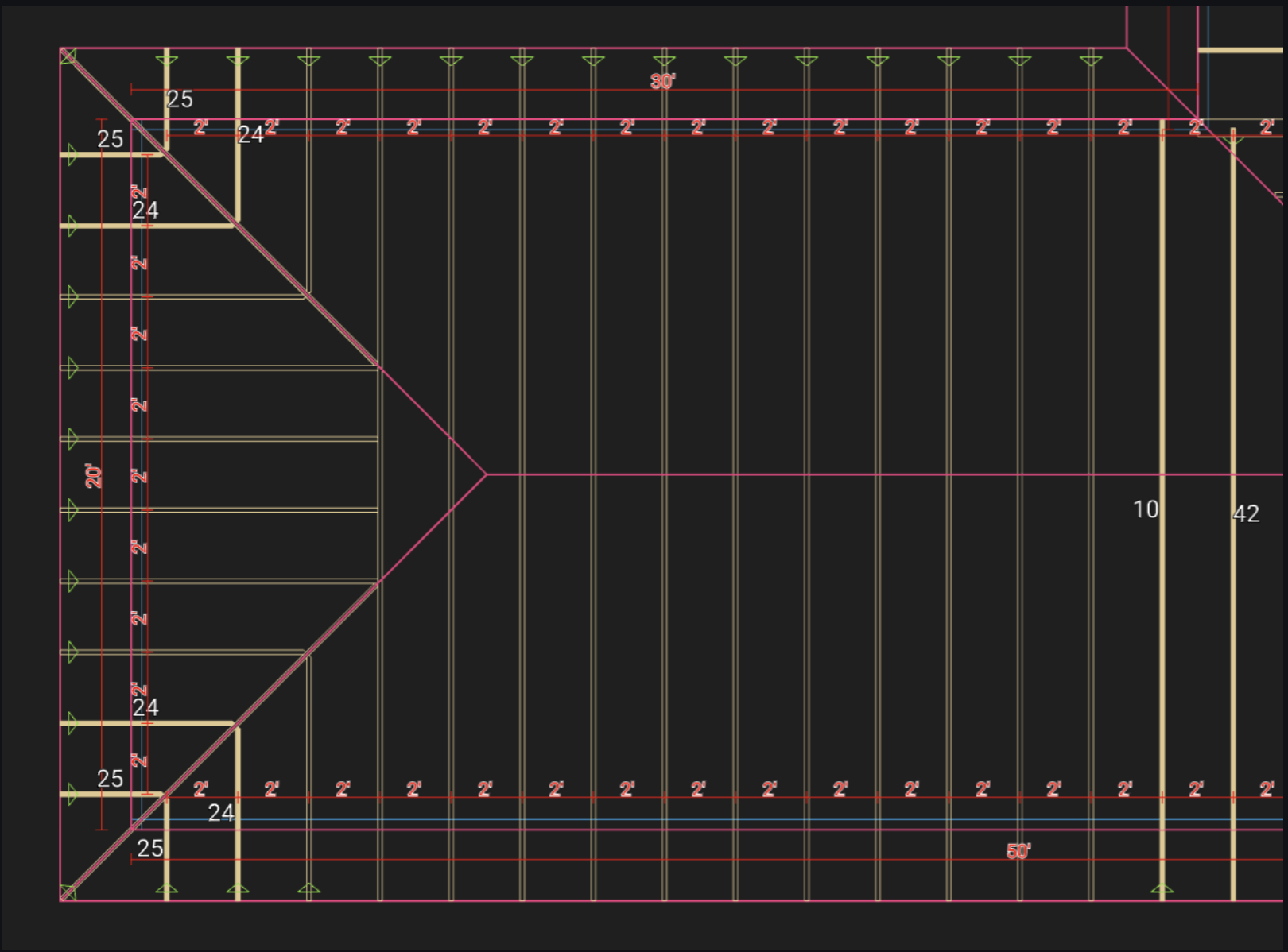
#### Improved Continuous Bearing and Gable Detection in Layout
Valley trusses are now continuously bearing by default, and all continuously bearing trusses will be gabled!
### User Experience Updates
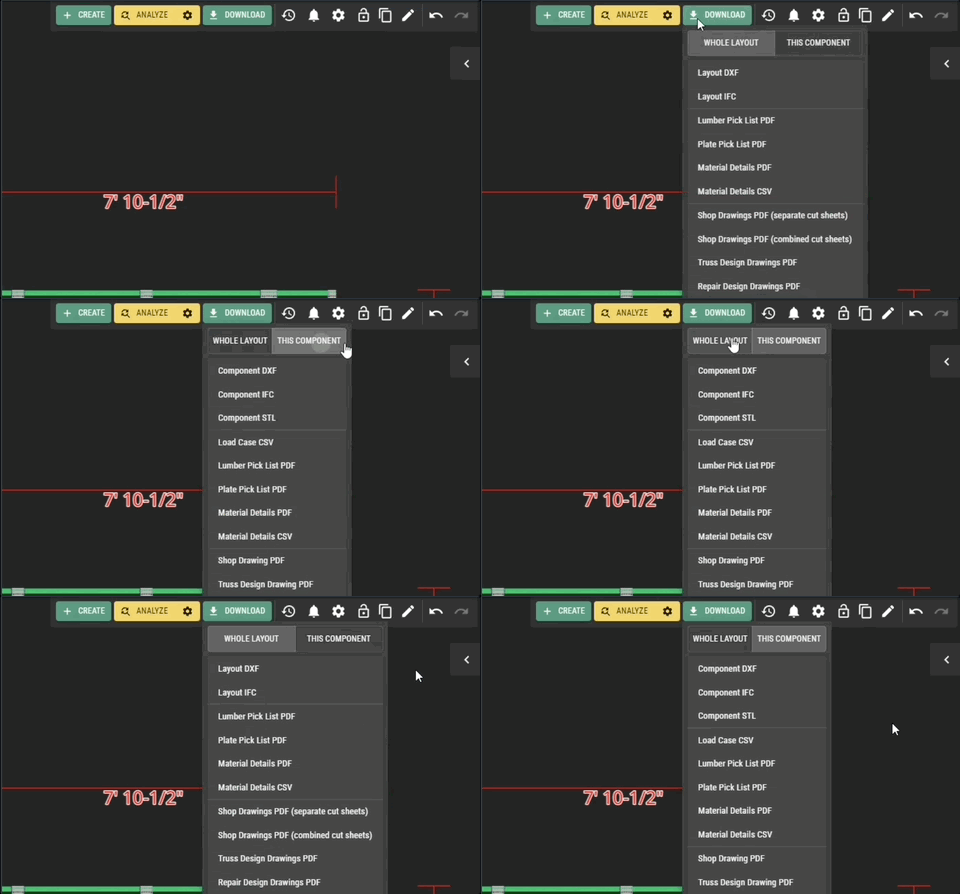
#### Bulk Downloads
You can now choose between the `WHOLE LAYOUT` or `THIS COMPONENT` when opening the downloads menu.
#### New Properties Panel Shortcut
Double-clicking an item in the scene will expand the properties subpanel. Instead of double-clicking a truss envelope to view the linked component design, there is a "View Component" button in the Properties Panel and Right-click menus.
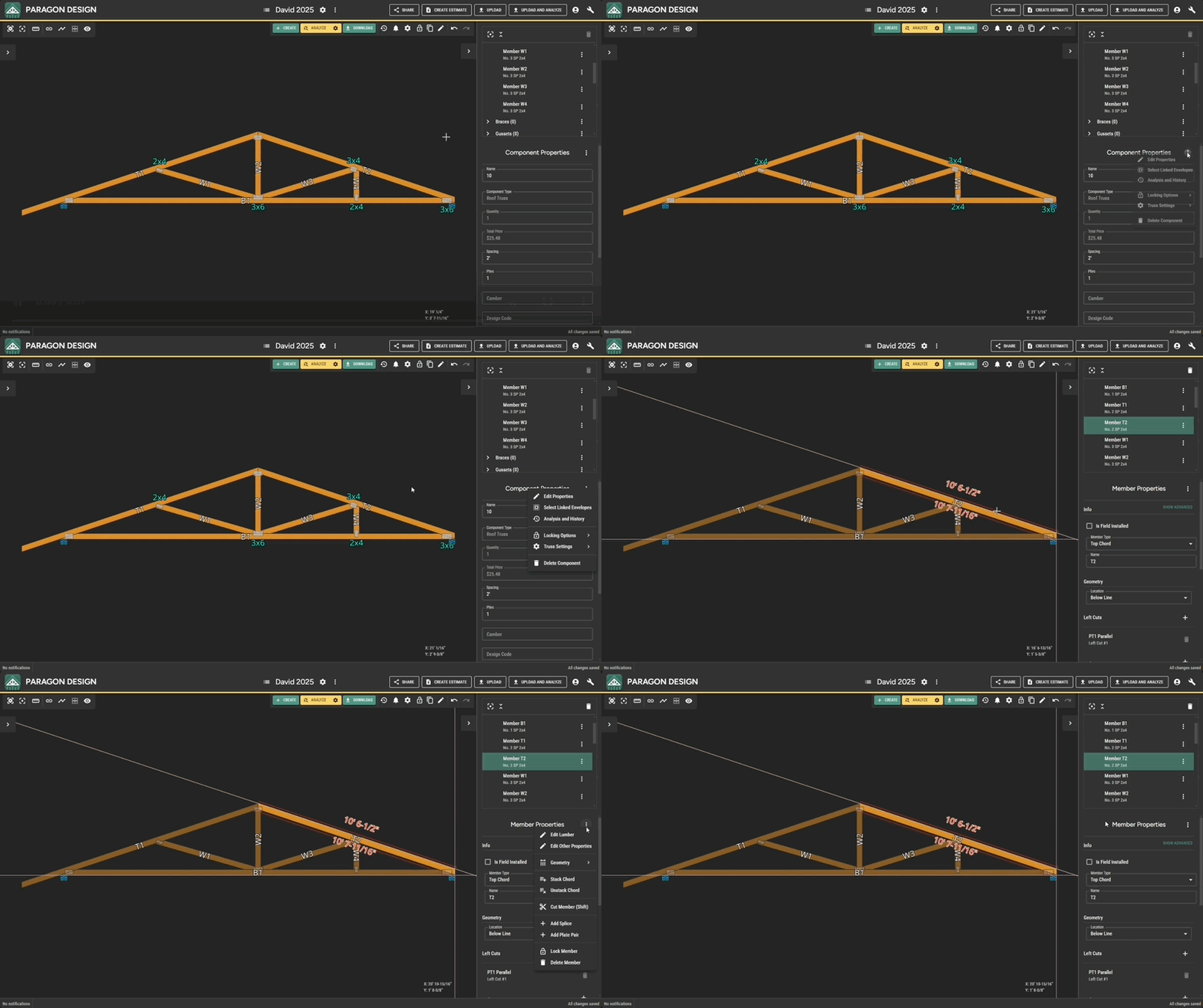
#### New Shortcut Menu Button
A new menu button has been added to the header of the properties subpanel. This button provides access to the shortcut menu currently accessible via right-click. This can be helpful where users can't right-click or for very small items in the scene.
#### Hotkey Support for Mac
The design client now supports Mac users more fully. All the hotkeys have been updated to use `Cmd` instead of `Ctrl` when MacOS is detected.
## Version 306
*02-07-2025*
### Design
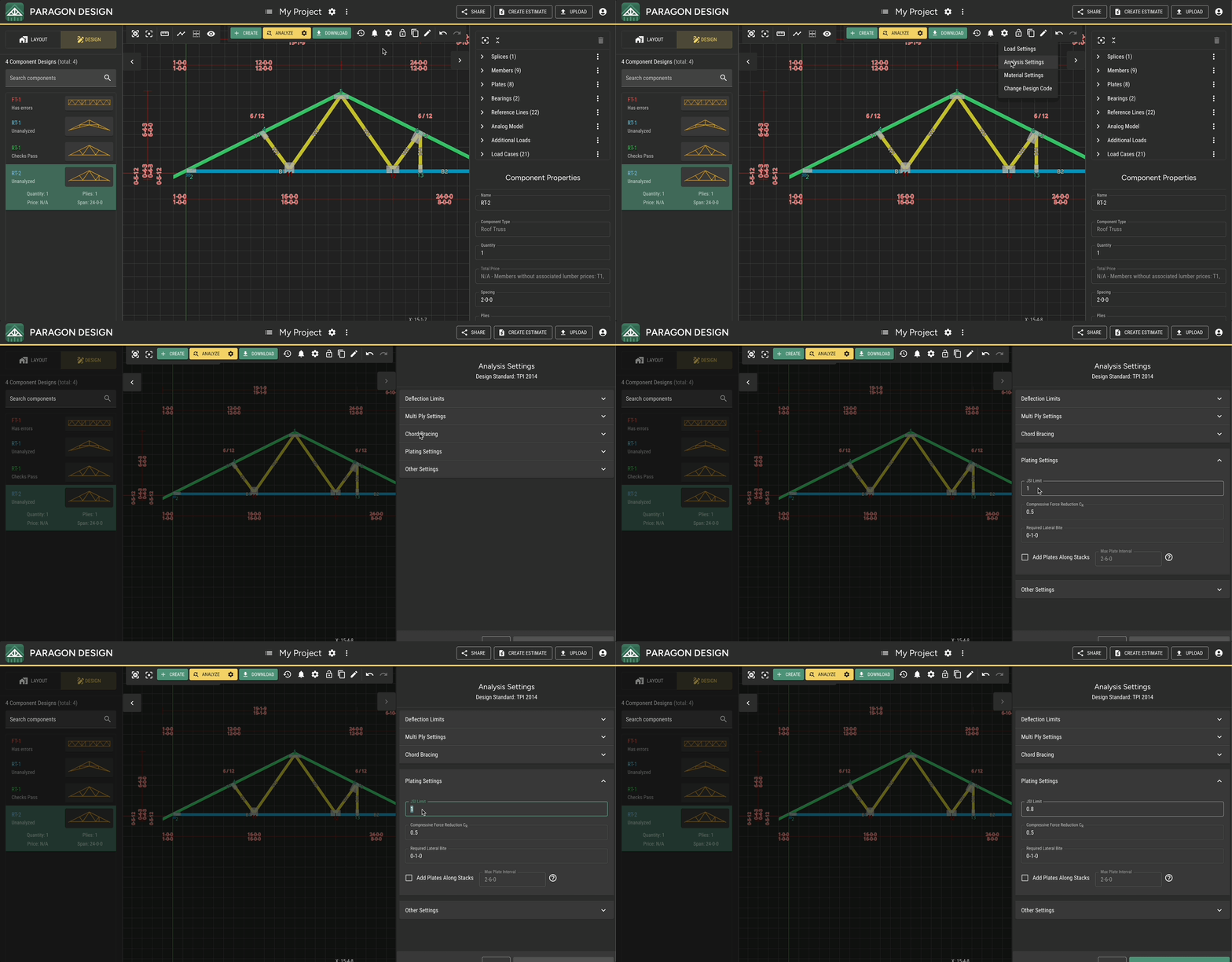
#### JSI Warning and Default JSI Limit
The default JSI (Joint Stress Index) Limit, which makes plate upgrades strive to keep plate JSIs below the limit, has been increased to 1. This value can be changed in the Plating Settings section of the Analysis Settings menu, and you'll see a warning for any plates that are passing checks but exceed the limit you've set.
#### Improved Reweb Truss Tool
The Reweb Truss tool in the Edit Truss menu now handles common cases without encountering an error much more often. It's the quickest way to add multiple webs at once and to make symmetrical webbing changes. Right-click on a profile line for the option to add another panel, move the white joints on the outer profile to change the webbing pattern, or select and delete all the webs and start over using the green joints as stitching points.
#### New Settings for Composite Action Analysis for Stacked Members
You can now control whether composite action is assumed for the analysis of stacked members through an Analysis Setting in the Other Settings section. When enabled, analysis treats stacked members as having greater bending stiffness than the sum of the stiffnesses of the layers. TPI 1 section 7.3.3.7 specifies how to do this for two-layer stacks with sufficient plating. This setting applies the same specification to all stacked members.
To help satisfy the composite action assumption, there is also a Plating Setting that lets you "Add Plates Along Stacks" at a specified interval (again, see TPI 1 section 7.3.3.7). If composite action is assumed in the analysis, but the max plate interval on the truss seems to conflict, you'll see a warning on the Truss Design Drawing:
> WARNING: This truss's stacked members might not be fully plated at 30-inch intervals, but the analysis results assume composite action. See TPI 1 § 7.3.3.7 for more details.
## Version 305
*01-31-2025*
There are no significant updates to report for this release.
## Version 304
*01-24-2025*
### Design
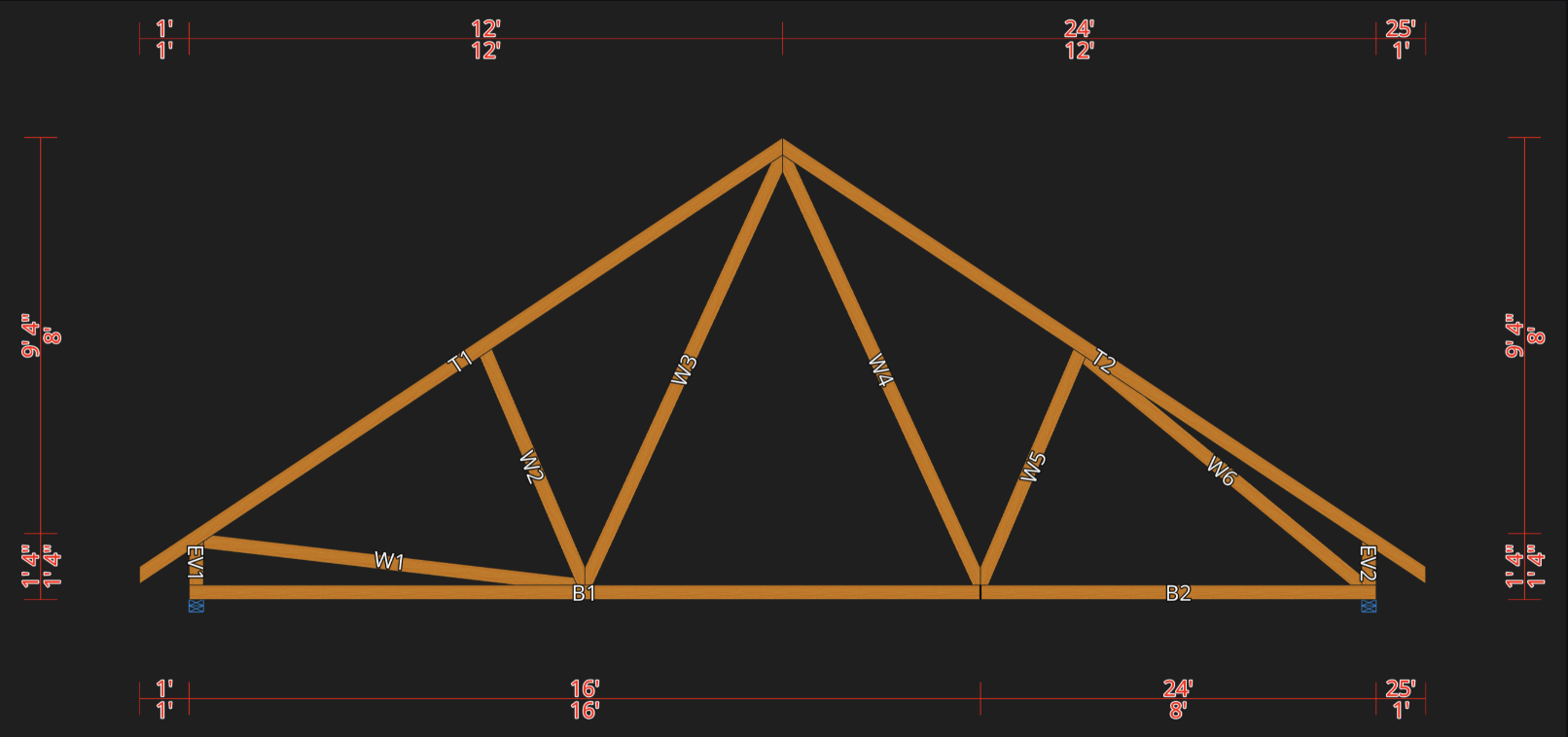
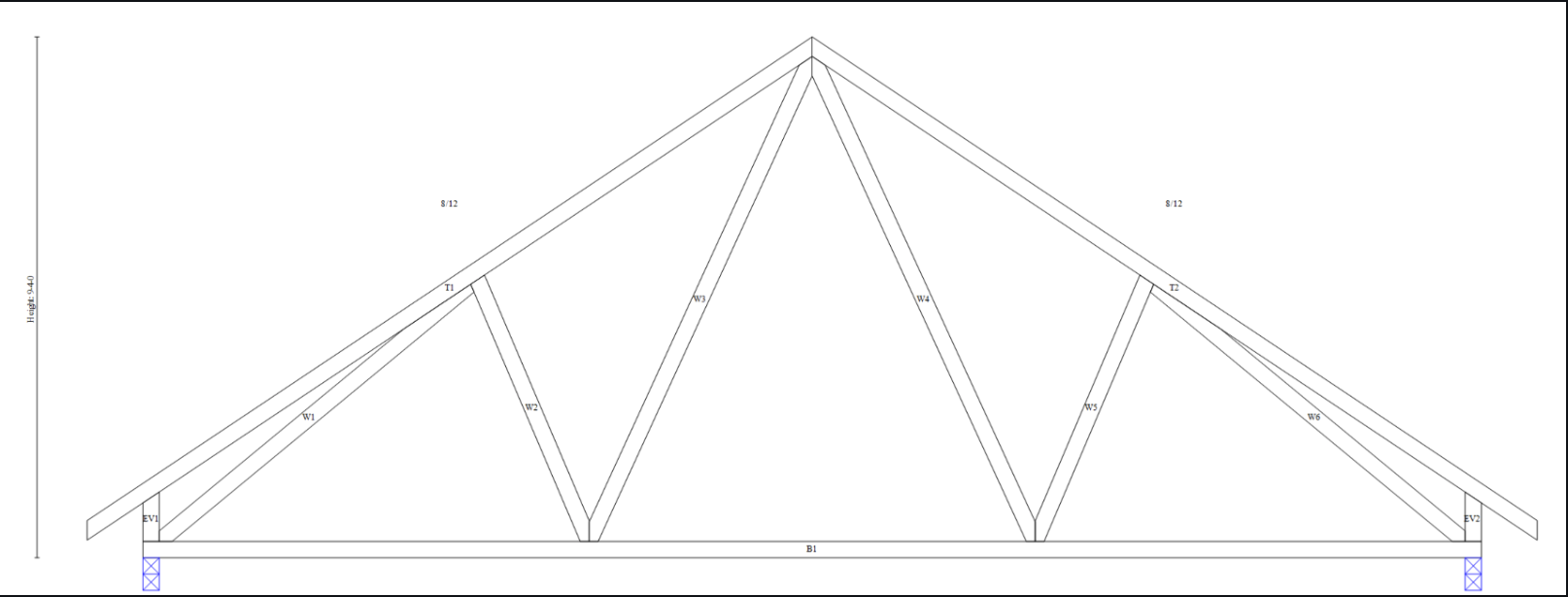
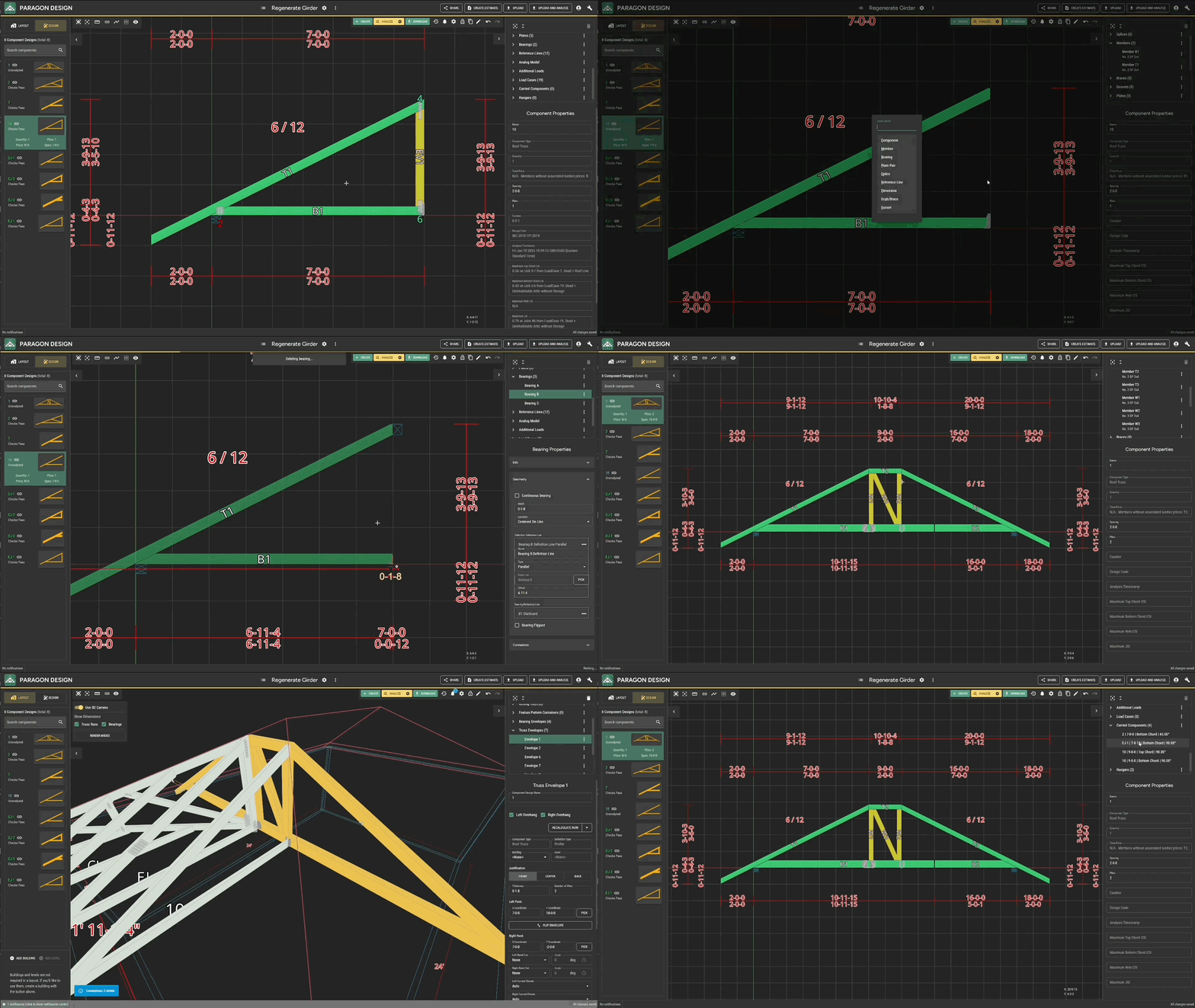
#### More Symmetrical Webbing for Symmetrical Trusses
The webbing algorithm now works simultaneously from both sides, which makes most symmetrical trusses generate with symmetrical webs.
Before
After
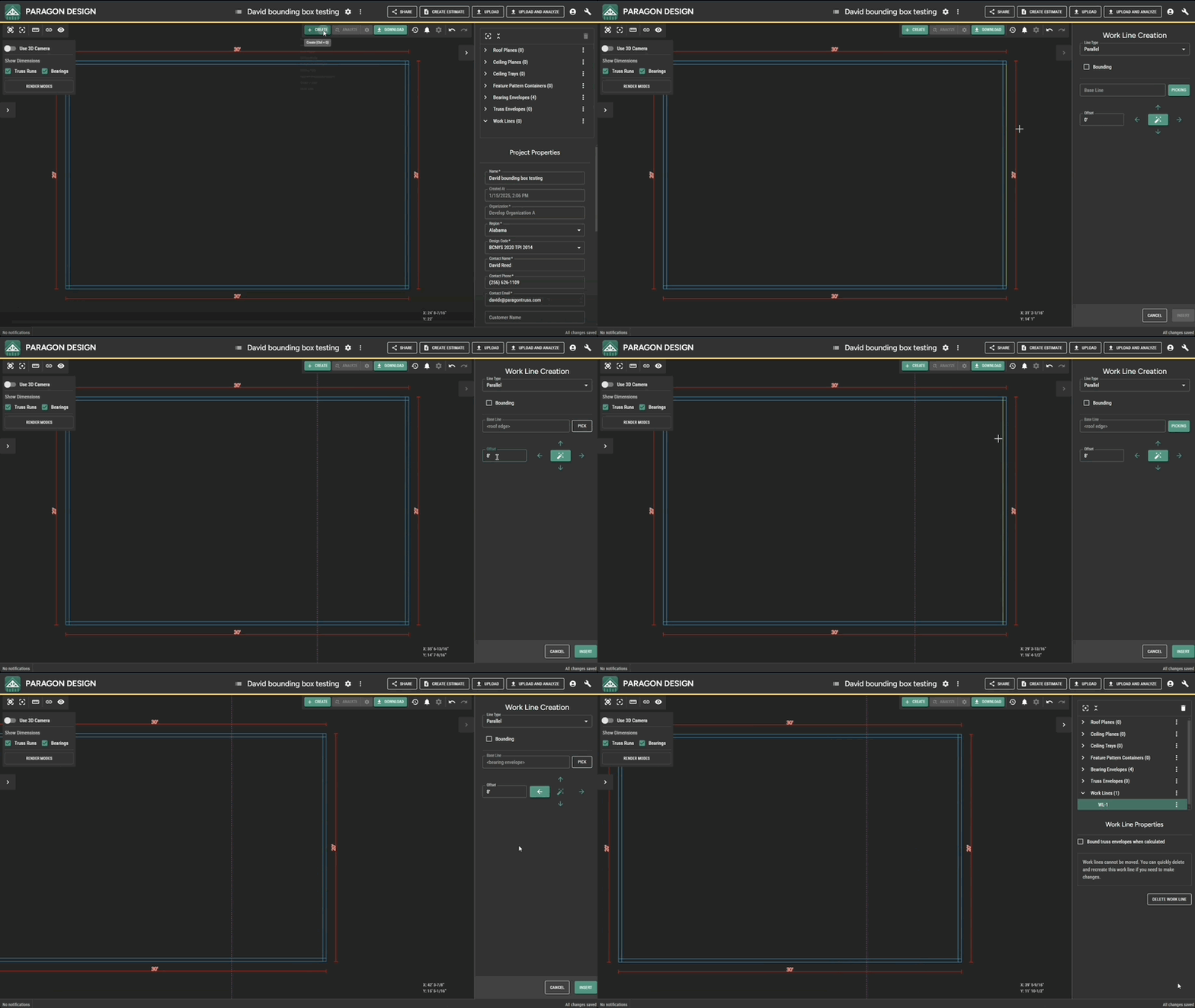
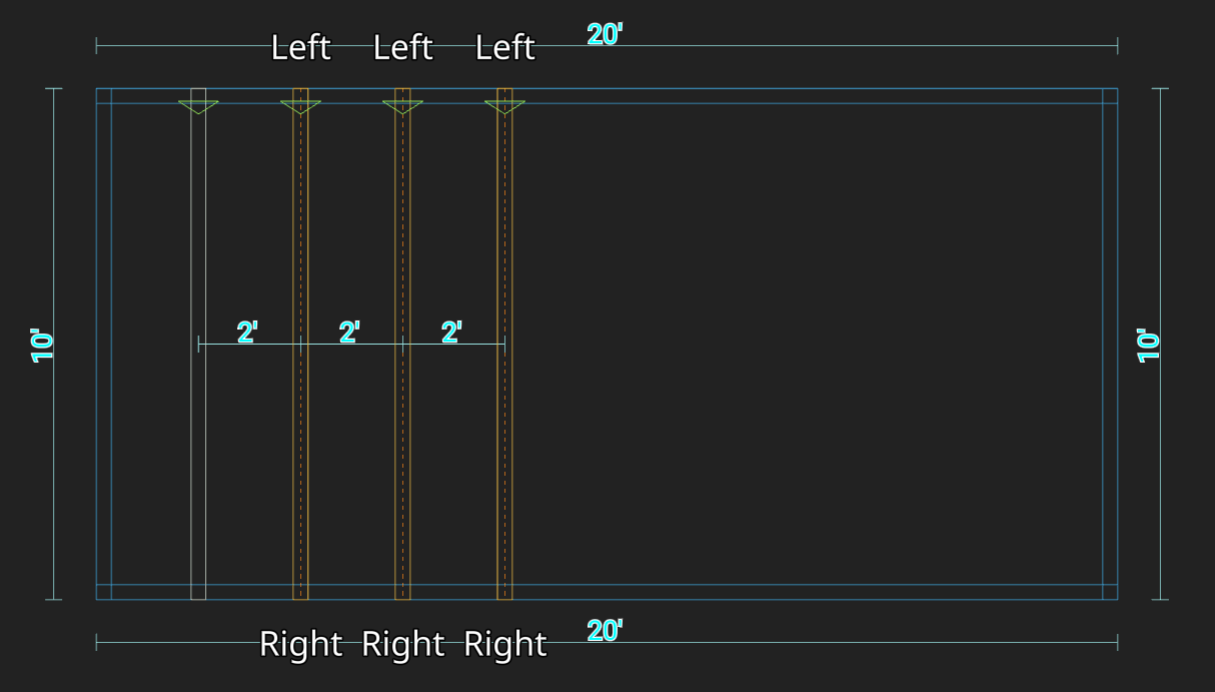
#### Directionality for Parallel Work Lines
You can now choose the direction in which you want to offset parallel work lines when creating or editing them.
#### Persisted Work Lines
Work Lines are no longer removed when you refresh or close a project. Instead, you can now Delete All Work Lines from the Work Lines collection in the right panel or multi-select and delete just the ones you're done with.

#### Set Component Type for Feature Pattern Trusses
If you create a truss using the feature pattern method, you can change its loading type between Roof and Floor from Component Properties without using Convert to Settings.
## Version 303
*01-16-2025*
#### **DESIGN**
**Project Wide Settings Dialog**
Project-wide load settings can now be managed from Design in a comprehensive dialog. The dialog can be accessed under "Project Settings" via the Project Menu in the header.
#### **LAYOUT**
**Performance Improvements**
Progress has been made to improve performance while using Layout to design and manipulate large projects. For the largest layouts, component designs and dimensions can be turned off to increase FPS even further.
**New Feature - Bulk Component Renaming Tool**
You can now rename multiple components simultaneously using multiselect to select truss envelopes while viewing a Layout.
## Version 302
*01-10-2025*
**Rename Component from Layout**
If you select a truss envelope that is linked to a component, you can rename the component design from the Properties panel
**More Intuitive Window-Select**
When you drag a selection window over multiple objects, like truss envelopes, and you already have some similar objects selected, you'll always add them to your current selection. Previously, this would select whatever was in the window while deselecting what was selected before. Similarly, dragging a window over selected objects will remove them from the selection set.
## Version 301
*01-03-2025*
**Create a Project from Design**
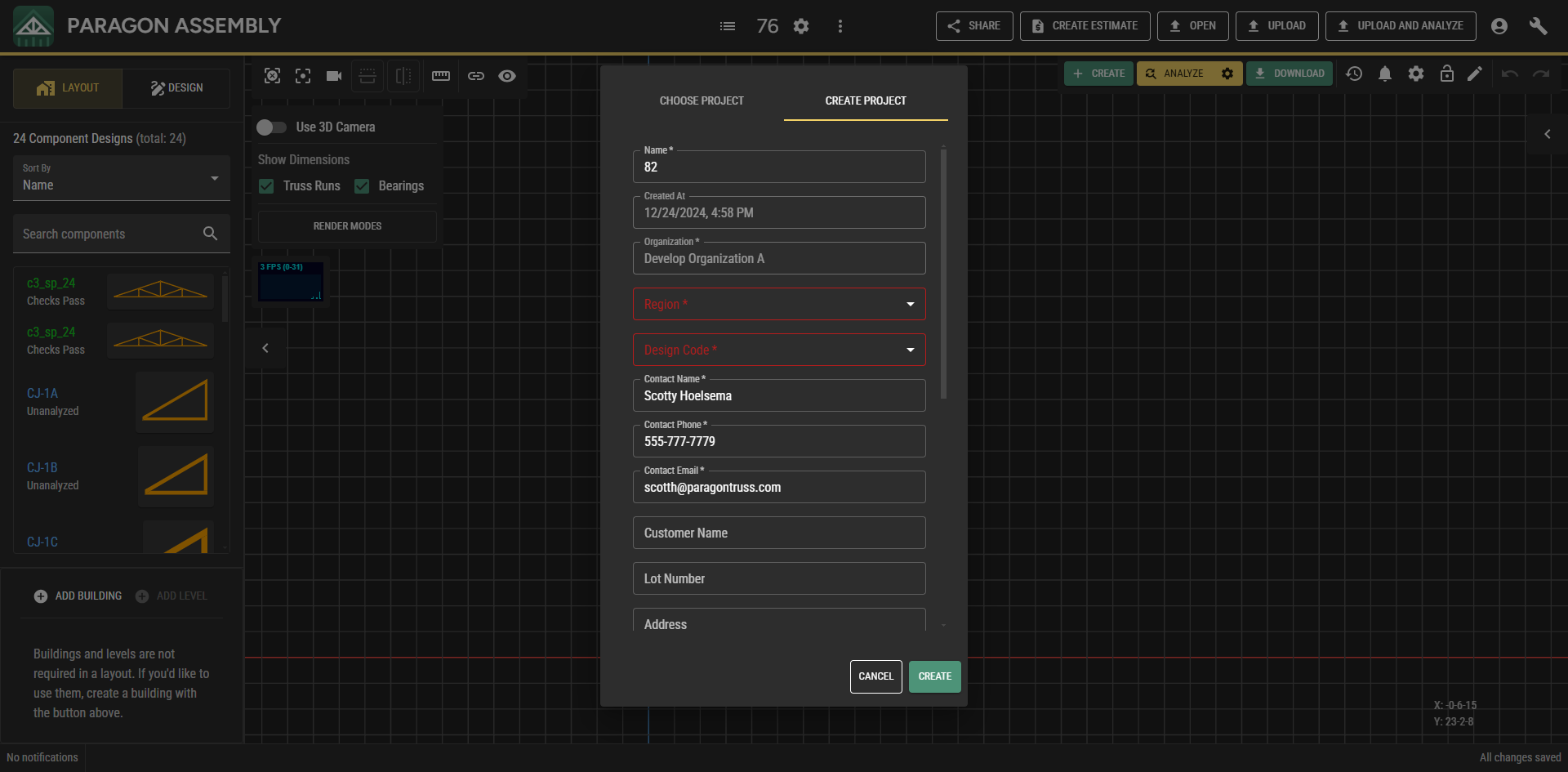
The Choose Project dialog now has an option to create a project. The button at the top toggles between choosing and creating a project. Filling in the required properties and hitting Create opens the new project in a new tab. There is a warning if a project with the same name already exists.
**Hanger Visuals on Jacks**
Hanger visuals have been added to jacks in single component design view. When rendered, a hanger replaces the corresponding hanger bearing visual (and adopts such behavior as hovering, selecting, and right-click).
Notes:
* A single jack design can be reused in different carried relationships, which means a jack might be carried by different hangers. With this in mind, a jack will only display its carrying hanger if all carried relationships use the same hardware.
---
# Agent Instructions
This documentation is published with GitBook. GitBook is the documentation platform designed so that both humans and AI agents can read, navigate, and reason over technical content effectively. Learn more at gitbook.com.
## Querying This Documentation
If you need additional information that is not directly available in this page, you can query the documentation by asking a question.
Perform an HTTP GET request on the following URL with the `ask` and `goal` query parameters:
```
GET https://docs.paragontruss.com/release-notes/2025.md?ask=&goal=
```
`ask` is the immediate question: it should be specific, self-contained, and written in natural language.
`goal` is what the user is ultimately trying to achieve, the reason they need the answer. Sharing it helps GitBook give you a better, more relevant answer. A goal is most helpful when it describes the outcome the user wants rather than restating the question. For example, with `ask=how do I create an API token`, a goal like `automate deployments from our CI pipeline` lets GitBook tailor the answer to that use case.
The response will contain a direct answer to the question and relevant excerpts and sources from the documentation.
Use this mechanism when the answer is not explicitly present in the current page, you need clarification or additional context, or you want to retrieve related documentation sections.


.gif?alt=media&token=b19769fc-ad8d-4b89-8bde-b46649836030)


.gif?alt=media&token=1897fa90-4408-487f-ad61-561c948de9ef)





.png?alt=media)
%20(1).png?alt=media)
.png?alt=media)



.gif?alt=media)


%20(1).png?alt=media)
.png?alt=media)