> For the complete documentation index, see [llms.txt](https://docs.paragontruss.com/llms.txt). Markdown versions of documentation pages are available by appending `.md` to page URLs; this page is available as [Markdown](https://docs.paragontruss.com/materials/getting-started/interface-overview.md).
# Interface Overview
Welcome to Paragon Materials! Let's dive into the different sections of the interface.
{% hint style="info" %}
Note
Access to certain features and functionality may be restricted by your plan type.
{% endhint %}
## Home Screen
The interface is pretty simple and consists of three columns.
* Lumber Lists
* Plate Lists
* Hanger Lists
At the top of each column you will find a `+` button that allows you to add a new list.
## Lumber List
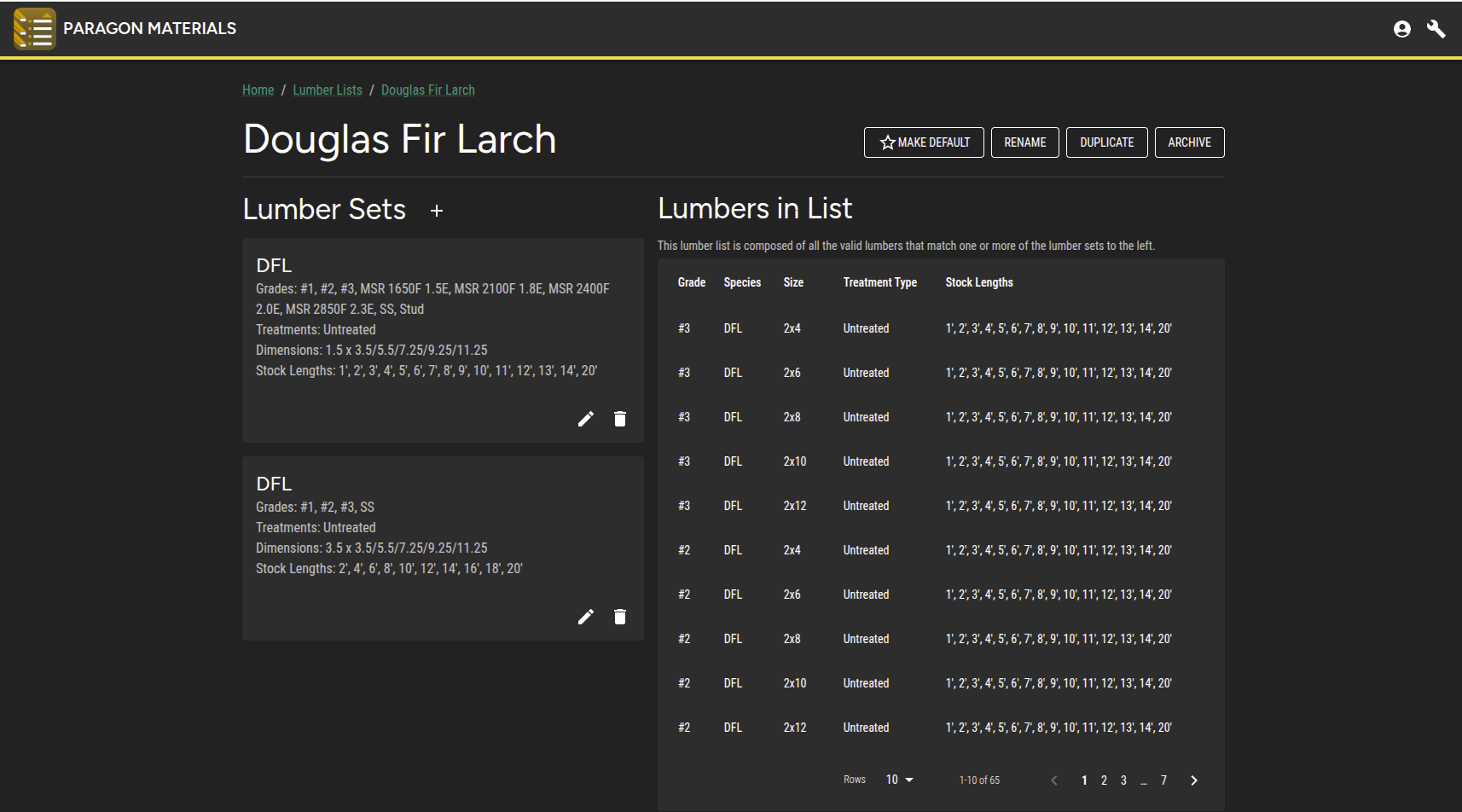
This interface is fairly simple with options to create a new lumber set or edit/delete an existing one. There are also options to Make this the default, rename a list, duplicate or archive it.
## Plate List
The interface allows you to define specific groups of plates to use for component designs. It is possible to create multiple plate lists per manufacturer or take advantage of ComboPlate which involves creating a single Plate List with plates from multiple manufacturers allowing you to swap out plate during fabrication.
Similar to the Lumber List, there are options to Make this the default, rename a list, duplicate or archive it.
### ComboPlate
Use `Make this a ComboPlate List` for additional flexibility during fabrication. [ComboPlate](https://docs.paragontruss.com/design/explanation/comboplate) allows you to create plate lists with different plate manufacturers. When you run plate upgrades on a truss, plates will be checked for the lowest common denominator design values at the joint, and all included types will be reported on the Truss Design Drawing, shop drawings, reports, etc.
{% hint style="success" %}
Tip
When building your plate list, use the `Filters` to reduce the number of plates presented to you making it easier to select plates by Manufacturer, Type, and Size.
Use `Hide unused plates` and Size when reviewing and modifying your plate list.
{% endhint %}
## Hanger List
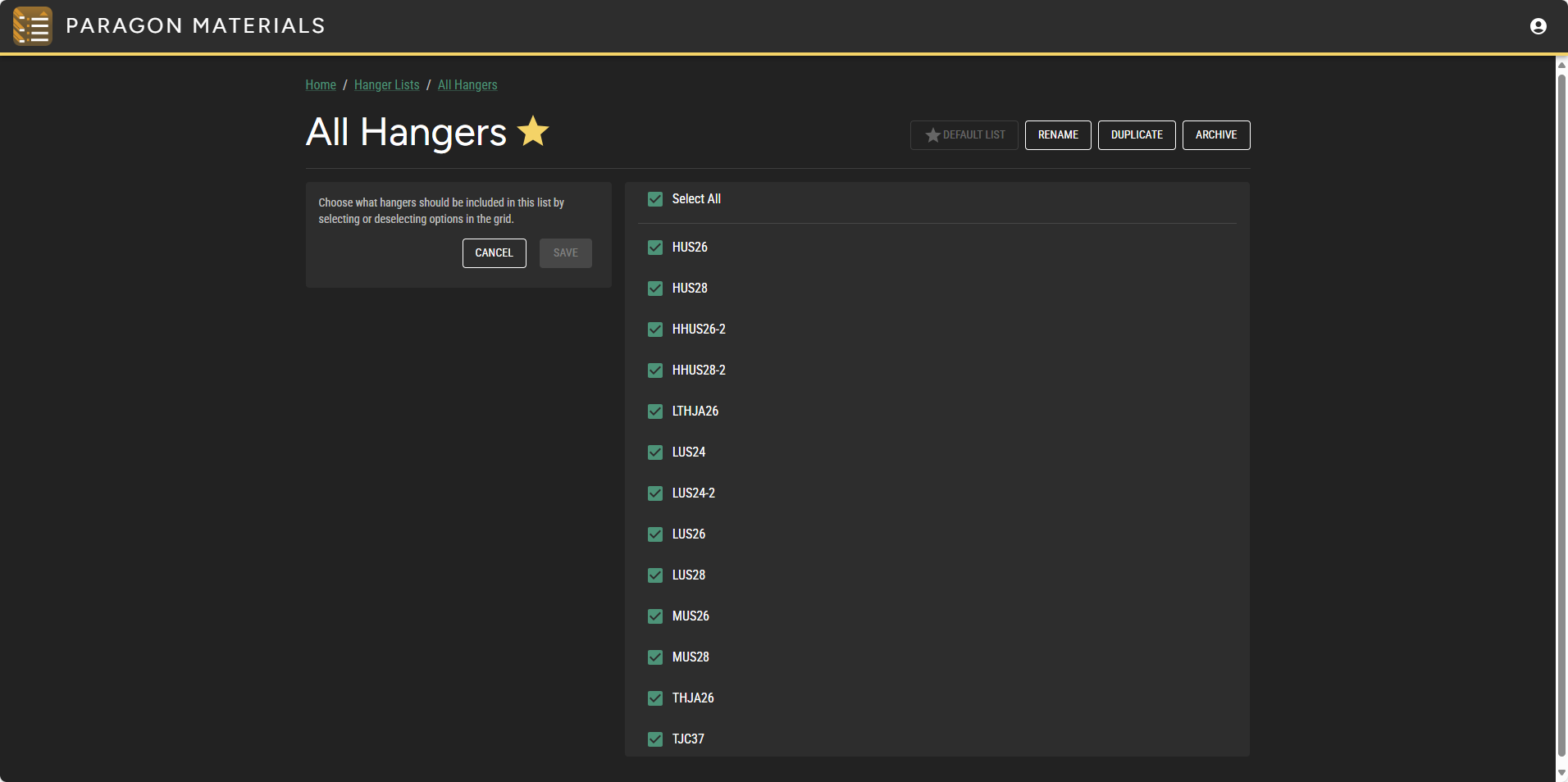
The interface allows you to select from a list of supported hanger products. Hanger products that are included in the project's materials will be available for selection in Paragon Design.
Similar to the Lumber and Plate Lists, there are options to Make this the default, rename a list, duplicate or archive it.
---
# Agent Instructions
This documentation is published with GitBook. GitBook is the documentation platform designed so that both humans and AI agents can read, navigate, and reason over technical content effectively. Learn more at gitbook.com.
## Querying This Documentation
If you need additional information that is not directly available in this page, you can query the documentation by asking a question.
Perform an HTTP GET request on the following URL with the `ask` and `goal` query parameters:
```
GET https://docs.paragontruss.com/materials/getting-started/interface-overview.md?ask=&goal=
```
`ask` is the immediate question: it should be specific, self-contained, and written in natural language.
`goal` is what the user is ultimately trying to achieve, the reason they need the answer. Sharing it helps GitBook give you a better, more relevant answer. A goal is most helpful when it describes the outcome the user wants rather than restating the question. For example, with `ask=how do I create an API token`, a goal like `automate deployments from our CI pipeline` lets GitBook tailor the answer to that use case.
The response will contain a direct answer to the question and relevant excerpts and sources from the documentation.
Use this mechanism when the answer is not explicitly present in the current page, you need clarification or additional context, or you want to retrieve related documentation sections.